
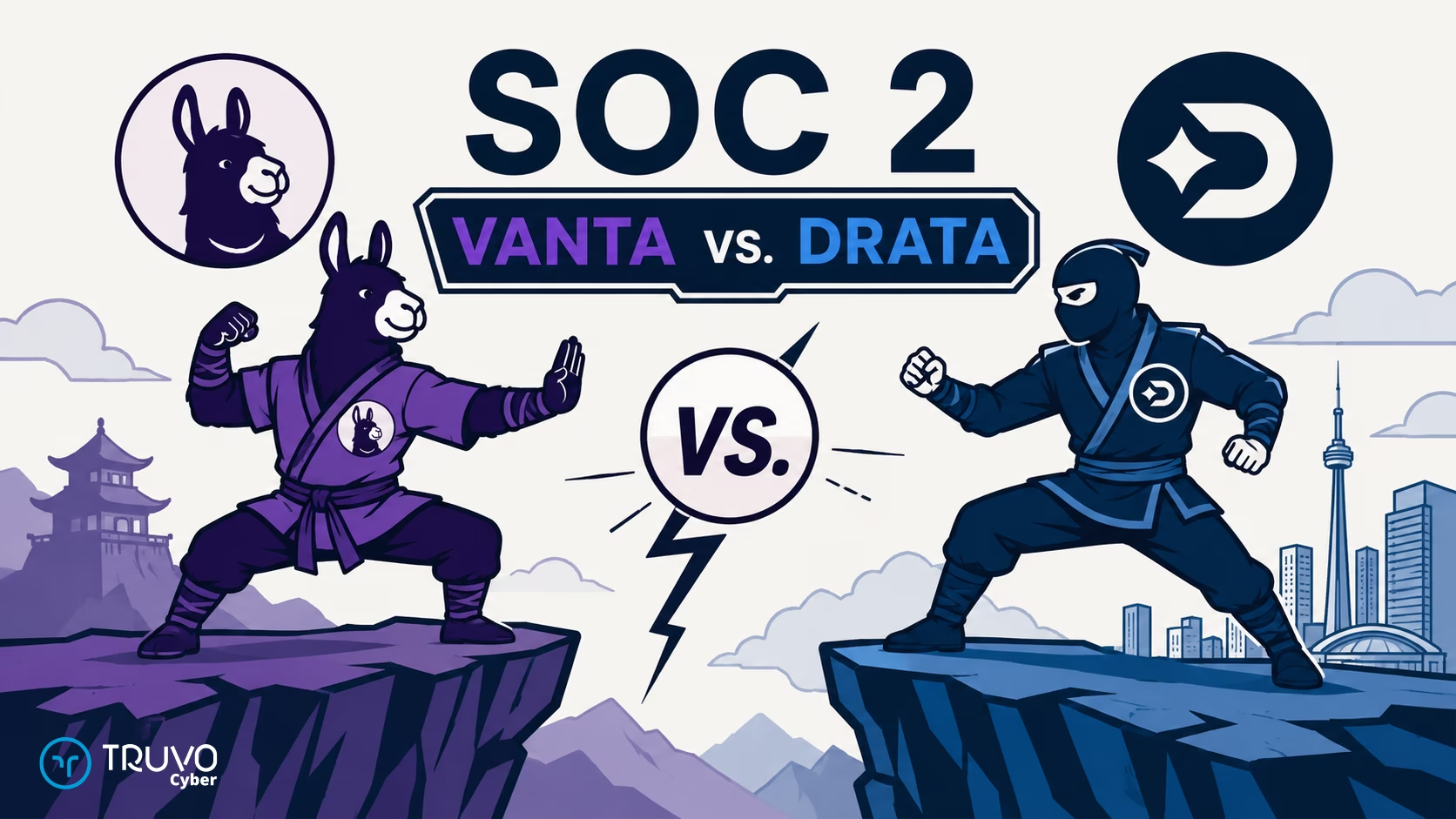
Vanta and Drata are two of the most widely used SOC 2 compliance automation platforms. Both connect to your cloud, identity, and HR systems, collect control evidence continuously, and give your auditor one evidence trail for the SOC 2 Type 2 report.
Short answer:
- Pick Vanta for breadth and speed: 400+ integrations, a large library of prebuilt tests, and a fast path to the first audit. Best for diverse SaaS stacks and tight deadlines.
- Pick Drata for depth and control: deeper cloud and CI/CD monitoring, custom tests with the raw JSON behind each result, and easier data export. Best for engineering-heavy teams.
- Neither one runs your security program. Someone still designs the controls, owns the evidence, and answers the auditor. A fractional security team like Truvo does that work on top of either tool.
Disclosure: Truvo Cyber is a Vanta partner and a Drata partner, and we implement both platforms for clients. This comparison comes from that implementation work.
Either platform automates evidence collection for part of SOC 2, not all of it: roughly 40-60% of SOC 2 controls still need a person to own and run them (Truvo Cyber, 2026).
Score Your SOC 2 Security Program
16 questions mapped to Common Criteria. See your strengths, find your gaps, get a prioritized action plan.
Vanta vs Drata: What's the Core Difference?
Vanta is built for breadth and speed. Drata is built for depth and engineering control. The right pick depends on how cloud-native and engineering-heavy your stack is. Both are SOC 2 automation platforms that replace hundreds of hours of manual evidence collection, and both cover the core SOC 2 Trust Services Criteria well.
| Vanta | Drata | |
| Built for | Breadth and speed | Depth and engineering control |
| Integrations | 400+, one of the largest catalogs | Fewer, deeper cloud and CI/CD integrations |
| Onboarding | Fast path to the first audit | More setup up front, deeper automation after |
| Tests | Large library of prebuilt tests | Custom test builder, with the raw JSON behind each test result |
| Monitoring | Broad coverage across SaaS tools | Granular, control-level infrastructure monitoring |
| Custom data and API | Private integrations push your own data in, with Custom Tests written in the dashboard | Custom Connections push JSON in, with custom tests that show the raw JSON behind each result |
| Best fit | Diverse SaaS stacks, tight deadlines | Engineering-heavy teams, complex cloud architectures |
| Frameworks | SOC 2, ISO 27001, HIPAA, ISO 42001, and more | SOC 2, ISO 27001, HIPAA, ISO 42001, and more |
For most companies, either platform covers the core requirements. The differences show up at the margins, and those margins depend on your environment. A platform that fits in year one can stop fitting at renewal, when scope grows and the original integration choices no longer match the company.
Comparing them for AI governance? See Drata vs Vanta for ISO 42001.
What the walkthrough shows (Gilliano, a SOC 2 analyst who works in Drata every day, walks Ali through the platform after purchase):
- Identity first: connecting the identity provider syncs users, so you can assign policies, acknowledgments, and security training to each person, and run access reviews from one list.
- HR and endpoint integrations: HR sync drives onboarding and offboarding (see HR-driven provisioning). Intune feeds endpoint configuration evidence, such as anti-malware checks.
- Test results you can inspect: each test result shows the raw JSON response behind the pass or fail. Out-of-the-box tests sometimes check a value your policy doesn't use (for example, 365-day log retention), so you adjust the test.
- How much gets automated: a fully cloud-based company can automate most evidence. In Truvo engagements, roughly a third is automated tests, a third is run through the platform by people (risk assessments, vendor reviews), and about 30% is manual evidence (board minutes, competency reviews).
- One piece of evidence, many frameworks: evidence maps across SOC 2, ISO 27001, and other frameworks at once.
- Policies need tailoring: default policies are a starting point. Someone decides who has to acknowledge each one. For example, office admin staff who never touch production don't need the secure development policy.
Video Walkthrough Transcript
Expand to read the full platform deep dive
Ali: Hey, this is Ali from TRUVO Cyber. Today I'm sitting down with Gilliano, who works with Drata day in and day out on SOC 2 implementations. We're going to do something a bit different today. Instead of me telling you what Drata does, I wanted to get someone who's actually in the tool every day to walk us through it. So Gilliano, thanks for jumping in. Before we dive in, tell us a little bit about yourself, what you do, and how you ended up working with Drata so much.
Gilliano: Thank you so much for having me. I'm a SOC 2 analyst. I spend most of my time really just inside of Drata and setting up frameworks for companies, primarily SOC 2 of course, and a lot of my work is spent monitoring and seeing how things are going for companies. For example, you see there's a couple of frameworks here; the most relevant to me is SOC 2 and you can monitor their readiness in Drata.
Ali: Perfect. So here's what we are going to do: we're going to walk through Drata the way you would actually use it after you bought the platform, paid for a license, and everything is ready to go. First we do the login, integrations, controls, evidence, the whole workflow really. I want people watching this to get a realistic picture of what they are signing up for so they know what to expect. If it sounds good, we can get started.
Gilliano: Yeah, so let's get into it.
Ali: So let's say someone just bought Drata. What is the first thing they will see when they log in?
Gilliano: Well, typically there is usually a getting started page. It makes it really simple to go through the steps, but I will show it from where we are now, where we have a staged environment. So, first thing I would do is you would have your account here. Click here. I would go to settings and you'd see company settings. The first thing I'd go to is company settings where I'd go to company info and I would fill the information here. Once it loads, I'd show you. Yeah. So, we go here. We'd fill out all of the company's details, you know, everything. And I'd set up a workspace. Now what a workspace is, is you're basically setting up an environment for a specific assessment and you could pick out a couple of frameworks. In this case the most relevant one for me would be SOC 2. So I would pick out a framework, design what I would be doing in this workspace and a bit of a description. Right. I won't pick one here because we have a few in draft. Okay. Right. And there's one more thing I would do. I also go to connections and I would set up the main identity connection first.
Ali: Right. So you start off with identity first.
Gilliano: Yeah. So I would set up the workspace to pick your framework and then set up your identity.
Ali: Why is that important? Why would we start with identity and not something else?
Gilliano: Because identity really gives you an idea of all the personnel you have working for the company. And one of the things you start with is assigning policies. So you would want all the people to be in here as well so you could govern your personnel.
Ali: So yeah. So it syncs the user information from your identity source to Drata. So then you can assign policies, acknowledgements, training, that sort of thing to them.
Gilliano: Yes, exactly.
Ali: Okay. Okay. Okay. Sounds good. And then what sort of integrations are available? I see quite a list.
Gilliano: Yeah, this is a great opportunity to talk about that. So Drata offers a very wide range of different integrations. You can see just for identity, there's already seven or eight here. These are some of the options and you can do manual imports as well, but you could also do things like your automation tools, things you use for your codebase, observability. So there's really a wide range of connections and integrations that you could use.
Ali: Okay. Okay, that's great. Can we explore a couple more categories like what are the popular ones? So we've gone through IAM, identity access management, the main cloud platforms.
Gilliano: Yeah, the main cloud for SOC 2 infrastructure. So you'd see things like Azure, AWS, GCP, those I see quite often. In terms of ticketing I see here, a lot of people use Azure Boards, DevOps, Jira. So you see a lot of the big names are popping out here and even for version control, we do have a lot as well, Azure Repos, GitHub. So a wide range of options.
Ali: Okay. Okay, sounds good. And then how about like HR stuff?
Gilliano: Yeah, there we go. So these are the sort of integrations that are there.
Ali: And why why would we need to sync our HR system with Drata?
Gilliano: Now that's a really common one. It depends on what you're using for your workspace, but when it definitely comes to things like signing off on background checks and things like that, sometimes that's often uploaded through your HR platform and it could grab a lot of that info from there and have it imported automatically.
Ali: Okay. Okay. So when someone, I guess this could be helpful for onboarding and offboarding, making sure that people are properly, when they get onboarded they get assigned to training, security training and policy acknowledgement, and offboarded from the HR, their access is removed from all other integrated systems on time, correct?
Gilliano: Exactly, and that's one thing that really comes up quite often because it's a lot of overhead to not only have to do the paper-based part of it but also have to bring it into Drata after. This makes it really easy and simple.
Ali: Yeah, access management is such a big part of any cybersecurity framework because it touches every system. It's always in flux, right? People always joining, leaving the company, changing roles, or new systems come in, you need to assign them properly. So it would be nice to have everything centralized so you have a central command for viewing whats happening. This is great. How about endpoint management? What kind of coverage do they have for anti-malware or MDM perhaps?
Gilliano: Yeah, so they have a wide range of options there. Intune is definitely my favorite because I tend to work with a lot of Azure environments to pull a lot of information for endpoint detection, especially if you want to use policies because if you have compliance policies in place it could also check to see, "Hey, are these devices compliant? Do they adhere to things like, for example, a lot of people have their BitLocker enabled so that your disk could be encrypted," it can pick up all of that and make sure that they adhere to those things.
Ali: No, this is actually one of my favorites too. It really gives you good visibility on configurations that your endpoints have, right? So the actual configurations are pushed from Azure in this case.
Gilliano: Correct. Yeah.
Ali: But then you have evidence for your compliance pulled from Azure here. So you can show the auditor that you're monitoring your endpoint in real time and have all the evidence in one spot.
Gilliano: Exactly.
Ali: That's really good. Yeah. So test configuration, I think with Intune you can probably do the, I know you can do the anti-malware monitoring as well, right? To making sure that malware agent is installed, right?
Gilliano: Yeah. You could ensure that all those endpoint detection and response mechanisms are in place, and if they are in place and they scan for antiviruses it can make sure that these are passing those scans.
Ali: So that's a really good overview of the integrations. Um let's move on to what the integrations actually mean. So of course we know integrations are there to automate stuff. Can you show us the impact of those integrations on our dashboard and control status?
Gilliano: Yeah. So if we go to our dashboard here, I think this is a good place to get an idea of how it works because when you go to your readiness, you'd see that, hey, this one for example, SOC 2 is on 24% readiness. And how you would see the effect of using those integrations is after you set up your workspace with SOC 2, do your integrations, you'd see that a lot of these are automatically populated, right? So if I click on the framework, you'd see that you have a number of controls and a lot of them have things like automated monitoring. One of the big ones that I see come up quite often is MFA.
Ali: Mhm. Right.
Gilliano: So, for example, MFA for remote access. Does this one have the monitoring set up? Okay, hold on one second. I'll go straight to the monitoring tab. Yeah. So, if you go to MFA, you can see all of these active connections actually show up quite often. And this is how all those integrations help. Once it's connected, there are a number of automated monitorings that come up. It'll check your infrastructure using the API setup and it's just constantly monitoring those and saying, "Hey, does this person have this enabled?" And it'll automatically populate in your Drata rather than you having to input that information manually.
Ali: Yeah. Yeah. That makes sense. And then do you find that sometimes errors are made when Drata tells you something is green, the test is green, where it's really not in place, or the other way around, tells you that something is not in place but it is actually in place and you need to adjust something?
Gilliano: It doesn't happen too often in terms of these controls. There are some instances, but in most cases the automations that are there work quite well, trigger correctly, and pull in the information. If it is a case where some information isn't pulled in correctly, you could always go to the control, go to the monitoring tab and it'll say, "Hey, this is passing because it's checking the policies that are in place." You can still go view the tests, see all of the details, and it shows you,
Ali: Sorry, does it show you the actual like a JSON response or API response?
Gilliano: Yeah, exactly. In this case, it won't have a JSON because this is for a policy. But if it did pull from Intune, for example, it would have the JSON saying, "Hey, this is all the information that was pulled in." And that way auditors can trust it a lot better because it'll have your infrastructure, your tenant ID, etc.
Ali: So one of the challenges I had with another platform, not with Drata, is that the out-of-the-box test was looking for Azure logging retention for 365 days, but whereas the company policy based on the risk appetite and all the other controls they have, they only wanted a 90-day retention policy that was our official stance. But we had challenges, so essentially we had to go and modify the default test. Is that something that we do in Drata? Do you need to create a custom test?
Gilliano: Yeah, that option is there. You can customize all of the tests that are in place. One of the biggest things that I find to be the best is when you go to monitoring, you could just create tests and you can make your own name and put in your own monitoring systems. And then all of the tests that are in place are easily toggable. We can turn them on and off, but also they can also change their criteria.
Ali: Correct.
Gilliano: Yeah, you could also change the criteria.
Ali: Yeah. So, let's kind of walk through the lifecycle. So, you know, got the platform, we set up the integrations. What is the next step? Do you find that you need to go through every control and make sure that the scope that control is fully kind of can be met by the out-of-the-box test or what does how does that look like? How do you get confidence that the automated integrations have the full coverage of what you need?
Gilliano: Right. In most cases the automated tests cover about 90% of what comes up for your audit. But to be sure when you do the audit you could view your frameworks and say, for example, you're doing an audit on SOC 2, it easily categorizes them into all your criteria. Then, for example, the first criteria A1.1, you could see all of the mapped controls. Right, by default these are the ones that are here. This one particularly contains the autoscaling, load balancers, system monitoring. And if it is that you do need another control because you find that what you have in place doesn't line up with this, you can always map different controls or remove the controls that are there.
Ali: So, it's easy to add, drop in a new control to meet specific criteria.
Gilliano: Exactly.
Ali: When you mentioned 90%, I assume your assumption is that the company is like 100% cloud-based and has integrations for all the key pieces in place.
Gilliano: Correct. Exactly. Yeah. I do assume that they have most of their things in a cloud-based environment. If it's something that's more on-prem, then you find yourself needing to do a bit more custom integrations.
Ali: What I find is with our engagement the number is about like 60-70% actually, and it's split actually between three different buckets. One is a technical test. Yeah, if you're cloud-based and most things are integrated with GRC platform, you can get most things automated after a bit of customization. And then you have another one-third that's not really automated but the GRC platform, like in this case Drata would help you implement, like a risk assessment or vendor risk review or those controls are implemented by using Drata, right? And then there's always what I find is about 30% that still needs manual evidence, either because they have on-prem or just the process itself is manual. Like, for example, the meeting minutes from the board, right? Or candidate competency review, right? So Drata cannot automate that, but you know you just drop the evidence that you're doing those things in here.
Gilliano: Correct. Okay. And the best way, I'll actually show off a bit about that as well because for those manual things that you have to enter, you could track that in Drata as well. You could just go to the evidence library and then say that you want to add an organizational chart, for example. Could add evidence, say org chart, give it an owner and add the artifact in. So in this case it would be a file and you could upload the image. You could link it to a control here. How I often do it is, instead of going to the evidence library, I would go to the control itself and say, "Acceptable use case policy evidence." There's no evidence here. Well, theoretically, there's no evidence here and we want to upload a specific piece of evidence. We just add the evidence and it'll automatically map to your control. That way, when you have, for example, a specific criteria you're trying to meet, the control itself has the evidence attached. So it passes the check and you don't have to worry about things like making sure things go to the right place.
Ali: Yeah. Yeah, that makes sense. And then can you do mapping of one evidence to multiple controls?
Gilliano: Yeah, of course. In that case, I would go to my evidence library and I would point it to multiple controls, or in the control section you could click here, "evidence." So then in the case where I wanted to map evidence to multiple controls, I would just go to controls and I would pick one. And because I added it to another control already, if I go to the evidence tab of this control, hit 'add evidence'. Instead of posting it, instead of having to upload it now, I could just hit 'evidence library', right? And this allows me to pick evidence that's already been uploaded. So that if I already uploaded a termination checklist or something like that and I need to use it for multiple controls, then I could just grab it from my evidence library rather than having to upload it multiple times.
Ali: And then in terms of some of the evidence needing to be refreshed, well, every evidence needs to be refreshed. But the ones that are manual, let's say you have quarterly refresh or annual refresh, it's easy to set up those kind of reminders and dates for the manual evidence.
Gilliano: Well, when you set them up, you tend to put them with a creation date. Okay. And in that case, you could view it that way. I think policies are a lot easier when it comes to viewing the expiry date because once you have policies in place, you have to set your approved dates, your publish date, and you could set an expiry. So, for example, the acceptable use policy. If I go to, sorry, if I go back to overview and details, often in your details, you'll see here you have a renewal date. You could either set that to a one-time date, you can set it to a year, 6 months. So depending on the criteria that you have set in place, for example, this needs to be reviewed annually. You could set it to one year and then it'll set the control to needs approval once that review date comes up. So that instead of having to try to figure out if it needs approval, it'll see.
Ali: Yeah, it's a good idea to explore that policy tab as well. Yeah. So let's talk about policies. So the out-of-the-box policies that Drata provides, are they, so how do they work? Can organizations just grab the base default policy there and just publish it, or do they need to kind of read, understand and figure out how how it applies to them, and maybe they need to make some modifications and then publish them?
Gilliano: In the first case, you definitely should review all of the policies because you want to ensure that all of these align with what your company has in place. And there's two ways to do this. You could either upload the policies that you already have or customize the ones that are in Drata, but it's something that you shouldn't neglect to check over just to make sure that they're okay and align with everything. These do adhere with a lot of the frameworks that are in place, but doing a once-over and doing some due diligence is important.
Ali: I find the hardest part for folks new to this process is translating the policy language into everyday workflow, right? Like, "I agree to this policy," but what does that mean on Monday morning on my actual daily operations?
Gilliano: Yeah, exactly. So that why I think the policies are something you definitely want to spend a lot of time with in the beginning because these policies really define how your company runs and how it's governed, and the auditors themselves would really be judging all the evidence and controls you have in place against your policies, right?
Ali: Yeah, so for example for change management, if you say that you need a ticket for every change that's put in place and you do that, you review those tickets annually or on a monthly basis, then you would need to show that evidence. So having the policy stating that is really important. SOC 2 specifically is very very flexible on the controls because it asks the company to define what's suitable for them, right? So in one sense it makes it easier, but the other sense is like it's a blank canvas, right?
Gilliano: Yeah, exactly. It can be intimidating to figure out, "Okay, what's the right thing to say here?" But I think platforms like Drata give you that structure, that framework policy, so you're not starting from scratch, but then you still need to make sure that the policy is suitable for your organization.
Ali: Yeah. Yeah, more stuff definitely. Okay. So let's move on to another topic. Many people at this stage are comparing platforms on competing framework platforms. You know there's Drata, Vanta, Secureframe, Scrut Automation. On the surface, they may all look very similar. So what do you think are the good ways for someone comparing Vanta versus Drata, for example, to find out the best fit for their organization, like from an implementation perspective? What would be your recommendation?
Gilliano: Yeah, from an implementation perspective, I think there are two real things that are the most important. One, I would say the connections, because the connections really make it really easy to get evidence for a lot of different things, and the connections that the platform offers may vary from platform to platform. So you want that box checked, right? And then the second part of that, I would say is really important, is the customizability. Because depending on your environment and the company that you're working with, they would have different needs. They might be on-prem, they might be hybrid, and you might have situations where you need to do something with an API or upload a JSON, and being able to say, "Hey, I'm going to create a new custom connection and say, 'Right, it's going to be using a JSON schema or it's going to be using an API key,'" is really important. Right. And this also goes for the controls that you have in place, because you might need a different control that isn't automatically here. You could create a new control in Drata, and that customizability is, I think, what sets the platforms apart and what you should consider.
Ali: Two really good points to kind of recap. First, you need to have an inventory of all your systems, right? Before you even go shopping, right? Create an image of what you have, and then one of your criteria for selecting a platform is to make sure there's a good overlap between what the platform out of the box supports and what the organization has, right? And then the other second point you made is customization, evaluating how customizable a tool is and whether or not you need it. Some organizations may not need a lot of customization, they'll be happy with more or less out of the box, but if you do need it, it's important to figure out if the platform gives you what you need from an engineering point of view.
Gilliano: Yeah, exactly.
Ali: Yeah, that's one of the strong suits from Drata, it really makes it easy to run those custom tests and controls.
Gilliano: Yeah, because there's just such a wide range of options to work with, spanning across a lot of different areas. It really makes it quite easy.
The platform automates evidence. The program still has to be built.
See SOC 2 ImplementationAli: Once you set up that authentication, you have that API connection between Drata and the target system, then you can define various tests against that system, correct?
Gilliano: Exactly, yes.
Ali: Okay, so moving on to the next topic, multi-framework overlap. So many organizations start with one framework, typically SOC 2 if you're based in North America. If you are somewhere else in Europe or Asia, you might be starting with ISO 27001, but then you quickly realize different customers are asking you to do different things, so you start adding a second framework, third framework, and then you realize, "Oh my god, I need to be compliant with privacy frameworks too, like GDPR and HIPAA," and you know California has their own now, and it becomes quite a bit to manage. How does a platform like Drata help us on that front?
Gilliano: I actually think this is the best part of using a GRC platform, just because if you go to the frameworks tab here and you go to controls, you'd see that a number of these have percentages, and you don't have to have individual evidence for each control. The best part is the controls map to multiple frameworks. So when you're doing your uploads and you're working on SOC 2, you're actually working on all the other frameworks as well, because Drata allows all those controls to be mapped to multiple, and as you update for one framework, a lot of others get populated as well. And while security is something that tends to have a lot of overlap because there are just a few principles that you need to always have, and it goes for all the other frameworks. So if you say you just finished SOC 2 and you're ready to move on to ISO 27001, you'd already have a bit of a head start from all the controls you already uploaded.
Ali: Yeah. Yeah. All the evidence maps because at the root of it, all of these frameworks are asking the same thing, just different ways, right? You can see the mapping here very clearly. Out of curiosity, we specifically get asked this question a lot. Someone is compliant with two frameworks really that are the most popular right now, SOC 2 and ISO 27001. Is there a way to see how much overlap exists on this representative system for those two frameworks?
Gilliano: Oh yeah. As you come to the framework tab here, you'd see that you have the percentages for the ready controls. Okay. And as you click on them, for SOC 2 for example, you'd see that these number of controls are ready. These are all marked off by these numbers. So you'd see that here we have DCF95. These are all marked off. These same controls are the ones that would be linked to your other frameworks. So when you go over to ISO and you see the controls, the same numbers, sorry, the same control definitions is what is here as well. So you can see a lot of that overlap happening.
Ali: Okay. Okay. So it's the same. If I click on a single control, does it show it mapped to multiple frameworks?
Gilliano: Yeah. If you have the control, you have the tag for each framework. Yeah. It'll show you all the frameworks that it applies to. And this is also why setting up your workspace is so important, because the frameworks that show up here are only the ones that you selected in your workspace.
Ali: Okay. So for the demo purposes, these are the ones we selected. You can see that the controls are tagged by the frameworks that they apply to. Do we have ISO 42001 in this demo environment?
Gilliano: I'm not sure if it's set up in this; I know it wasn't selected for the workspace. Okay. But it should, oh, there we go. I think we just passed it. There you go. It just says 'learn more' and you could schedule a demo.
Ali: Okay. Okay. Yeah, we'd have to add it to the workspace to go into the details of it. Yeah. Then, so we've gone through the setup, integration, automated controls, manual controls. For someone watching this who just bought Drata, what is the gap between having the platform and actually being audit-ready? What does that workload look like? What do they need to do?
Gilliano: Yeah, I would say that the platform is really just a head start in terms of the starting point, because Drata kind of acts as your single source of truth for getting all of that information automatically. But it could only do so much in some cases. There's a gap where, depending on your company's policies, you may need to fill out some things manually. You may need to upload. So there's just a lot of information, especially with regards to customizing your policies and governing the personnel that you have because, for example, not all policies may apply to all personnel. So when you go into that policy center, one of the big things that you also have to do is say, "Hey, well, in the case of acceptable use policy, you may want it to apply to all personnel, but you may also need it to apply just to specific groups," right? So these are things that you also have to consider.
Ali: Yeah, a good example maybe would be a secure development policy, right? So you probably don't need the receptionist for the office or the admin assistant for the office, who never touch the production environment, to acknowledge the secure development policy, right?
Gilliano: Yeah. Yeah. Exactly.
Ali: Somebody has to think through all of those nuances.
Gilliano: Yeah, exactly. Someone has to really go in and dig into these policies and understand who they need to go to, what applies, and even in some cases, who also needs to review these policies. Because the policies span a lot of domains. Some are HR-related, some are software development lifecycle-related, some are just general staffing. So some of these need to go to a specific person for approval. And Drata also makes that pretty easy because in your approval section for your policies, you could select who reviews it from your personnel list.
Ali: No, thanks so much, Gilliano. This has been an amazing overview. I think people who are shopping around and looking for good GRC solutions will benefit from viewing this demo and having the voiceover from your end from a practical, practitioner point of view. So, much appreciate your insights. Do you have any final parting thoughts before I take us out of here?
Gilliano: Yeah. Just would have one thing to add, but thank you a lot for having me. I think one of the biggest things is that when you're approaching something like compliance, you really want to see it as more of an engineering problem now rather than just paper-based uploading. Because when you set a process in place, rather than just trying to hit one piece of evidence one at a time, it becomes a lot smoother to get through these audits.
Ali: That was, I would say, that's a golden insight out of this whole conversation. Compliance is not a project that you work on for two or three months and you're done. It is something you work on for two or three months to get set up and then continue doing forever to remain compliant. So you have to think how to make that workload a lot easier on your staff, and a big part of that is setting up the automation as much as possible.
Gilliano: Thanks for sharing that. Yeah.
Ali: Folks, I hope you find this useful. I know I benefited from this a lot. So, thanks for watching. If you think this is of interest, but you think it's a lot of work and you may not have internal capacity to go through all this build process and translating all the policies into practical day-to-day operations or setting up the custom tests and being actually audit-ready, have the confidence to be audit-ready, and you think you might need some help, you feel free to reach out. We structure our engagements into three phases: Assess, Build and Operate. In the assessment phase, we come in, we do deep discoveries. We figure out what systems you have, how you work, lines of business. We establish the audit boundary for your organization, making sure that all controls that come out of the box, as Gilliano showed, make sense in your organization and what those controls mean on a day-to-day basis. We can help you translate all of that. So that takes care of our assessment. We figure out what you have and what you need to get done to be compliant. On the build side, we document all the procedures that are needed to meet those controls so your staff know what they need to do on Monday morning to remain compliant. And then once all of the build is done and we've gone through the SOC 2 Type 1 audit, we can help you transition to operations. We can help you with that phase as well. Again, thanks for watching. So the next step if you're curious to see if engaging TRUVO Cyber is something you are interested in, you can fill out our SOC 2 readiness scorecard. It's a free scorecard that tells you where you are with your SOC 2 readiness. And then if you want to skip the line and just jump into a call, you can do that too. We provide the links both in the description. We also have a free report that we've recently published that talks about the state of the GRC market, SOC 2, and compliance in general. It's also free and ready to download. We provide a link to that as well. Thank you very much for watching, and we'll see you next time.
Vanta and Drata: What Do Both Do Well?
Both platforms cover the SOC 2 basics:
- Continuous monitoring across cloud providers (AWS, GCP, Azure), identity providers (Okta, Entra ID), version control (GitHub, GitLab), and endpoint management
- Automated evidence collection mapped to SOC 2 controls, with less manual work in audit preparation
- Policy management with distribution tracking and employee acknowledgments
- Cross-framework support, so controls and evidence carry across SOC 2, ISO 27001, HIPAA, and others
- Auditor collaboration for evidence review
Vanta for SOC 2: Who Is It Best For?
Vanta fits teams that:
- Need to move fast because a customer deal has a certification deadline
- Run a diverse stack with many SaaS tools
- Need to push evidence in from internal systems Vanta doesn't support natively
Vanta's integration catalog is one of the largest in the market, and onboarding is built to get you to audit readiness quickly.
Where to probe deeper: test the evidence depth of your critical integrations. An integration that connects but doesn't pull the evidence your controls need leaves manual work for later.
Want that evidence depth checked and kept current? Truvo's Vanta managed services configure the integrations and run the evidence work on the platform.
Drata for SOC 2: Who Is It Best For?
Drata fits teams that:
- Are engineering-heavy and want compliance built into development workflows
- Run complex cloud architectures where granular infrastructure monitoring matters
- Need detailed compliance reporting and data export
Drata's integrations go deeper into cloud infrastructure and CI/CD pipelines. The custom test builder lets you write logic-based tests and inspect the raw JSON behind every result.
Where to probe deeper: ask about the onboarding timeline. Deeper automation means more configuration, so check that your team has time for the initial setup.
No time for setup? Truvo's Drata managed services cover the setup and run the day-to-day evidence work on the platform.
Starting on Drata? See what a Drata SOC 2 readiness assessment includes.
Vanta vs Drata API: Which Fits Your Team?
Both platforms accept data from systems they don't support out of the box, such as in-house apps and on-prem servers. The difference is how you write and debug the tests that run on that data.
| Platform | API strength | Best for |
| Vanta | Private integrations push custom resources in. Custom Tests are written in the dashboard. | Teams that want prebuilt tests for most systems and a few custom checks |
| Drata | Custom Connections push JSON in. Custom tests run on that data and show the raw JSON behind each result. | Teams that want to write and debug many of their own checks |
Test the flow you need most:
- Integrating in-house or on-prem systems? Push one sample record into each platform and write one test on the data.
- Feeding existing dashboards or BI tools? Test data export from each platform's API.
Free · Spreadsheet
SOC 2 Readiness Checklist (Spreadsheet)
99 tasks across 22 security capabilities, from scoping through the build, with the evidence each task produces and the SOC 2 criteria it maps to. Enter your email to open it.
Vanta or Drata: How Do You Choose for Your Stack?
Pick the platform that collects evidence from the most systems in your SOC 2 scope. Compare the evidence each integration pulls. The number of logos in the catalog tells you little. Every in-scope system ends up in one of three places:
- Native integration: the platform pulls the evidence and runs the tests on a schedule
- Custom integration: your team pushes the data in through the API and writes the tests
- Manual upload: someone collects screenshots or exports by hand every audit period
The platform that puts more of your systems in the first group saves the most work. Four steps get you there.
Step 1: Which systems are in your SOC 2 scope?
List every system in your SOC 2 scope that stores customer data, controls access to production, or produces evidence an auditor will ask for:
- Cloud: AWS, Azure, Google Cloud, or another provider
- Identity provider: Okta, Microsoft Entra ID, Google Workspace, JumpCloud
- Code and CI/CD: GitHub, GitLab, Bitbucket, Azure DevOps
- Endpoint management: Jamf, Intune, Kandji, or the vendor's own agent
- HR system: BambooHR, Rippling, Gusto, Workday, HiBob
- Ticketing: Jira, Linear, Azure Boards, ServiceNow
- Security tools: vulnerability scanner, EDR, logging and monitoring
- Anything on-prem or self-hosted: servers, databases, internal apps
Planning ISO 27001, HIPAA, or another framework in the next year? Add those to the list too. Good cross-framework mapping reuses the same integrations and evidence for each added framework.
Step 2: What evidence should each integration pull?
A connected integration helps when the integration pulls the evidence the auditor asks for. Check these in each platform's integration docs or trial:
| System | Evidence the auditor asks for | Check in the integration |
| Cloud | Encryption at rest, logging enabled, IAM users and MFA, public exposure | Does the integration read every account and region in scope? |
| Identity provider | User list, MFA enforced, accounts removed at termination | Does the integration match identity provider accounts to people in the HR system? |
| Code and CI/CD | Branch protection, pull request approvals before merge | Does the integration cover every repository that deploys to production? |
| Endpoint management | Disk encryption, screen lock, OS updates, anti-malware | Does the integration cover every laptop, including contractors? |
| HR system | Hire and termination dates, background checks, training | Do new hires and leavers flow into onboarding and offboarding tasks? |
| Ticketing | Change tickets with approvals, security incident records | Can the platform link a change ticket to a production deploy? |
| Security tools | Scan results, findings closed within your SLA | Does the integration track open findings against the SLA in your policy? |
Step 3: Where does each platform cover your stack?
For a typical cloud stack, both catalogs list a native integration for every common system. We checked both catalogs on October 31, 2026:
| System | Vanta | Drata |
| AWS, Azure, Google Cloud, DigitalOcean | Native | Native |
| Okta, Entra ID, Google Workspace, JumpCloud | Native | Native |
| GitHub, GitLab, Bitbucket, Azure DevOps | Native | Native |
| Jamf, Intune, Kandji | Native | Native |
| BambooHR, Rippling, Gusto, Workday, HiBob | Native | Native |
| Jira, Linear, Azure Boards, ServiceNow | Native | Native |
| Datadog, CrowdStrike, Cloudflare | Native | Native |
| Snyk | Native | Native, Snyk Enterprise only |
| Oracle Cloud (OCI) | Native | Not in the catalog |
| Kubernetes | Through the AWS (EKS) and Google Cloud (GKE) integrations | Through the AWS integration (EKS) |
| Hetzner, VMware vSphere, on-prem servers | Custom or manual | Custom or manual |
| Laptop agent | Vanta Agent: disk encryption, screen lock, antivirus, password manager, OS version | Drata Agent (open source): disk encryption, screen lock, antivirus, password manager, automatic updates |
| Catalog size (vendor claim) | 400+ | "Hundreds of tools" |
Sources: Vanta integrations, Drata help center, Vanta Device Monitor, Drata Agent.
With the same logos on both sides, the decision comes down to three checks:
- Evidence depth for your top systems. Vanta lists the supported resources and tests on each integration page, for example 100+ tests on the AWS integration. Drata publishes one help article per test with the matching control, for example audit logs on EKS clusters. Read the tests for your cloud, identity provider and code platform before the demo.
- The less common systems in your scope. Oracle Cloud, Kubernetes outside EKS and GKE, self-hosted tools and on-prem servers are where the two catalogs differ.
- How each platform handles the systems with no integration. See Step 4.
In Truvo engagements on fully cloud-based companies, roughly a third of SOC 2 evidence comes from automated tests, a third from work people do inside the platform (risk assessments, vendor reviews), and about 30% from manual uploads such as board minutes.
Step 4: How will you cover the systems with no native integration?
Both platforms accept data from systems outside the catalog, with different limits:
| Vanta | Drata | |
| How data gets in | Private integrations push accounts, devices, vulnerabilities or custom resources through the API | Custom Connections push JSON from any cloud, on-prem or in-house system |
| Tests on that data | Custom Tests: pass/fail rules on any resource property | Test Builder, with the raw JSON behind each result |
| Plan | Check your plan with Vanta | Advanced and Enterprise plans only |
| Partner-built connectors | Check with Vanta | Partner Connections send evidence only and skip Drata's automated tests |
Either way, an engineer builds and schedules the script that pushes the data, and keeps the script working when the source system changes. Budget for that work, or plan a manual upload for each audit period. On-prem servers usually need one of the two. For production on bare metal or in a colocation facility, the SOC 2 readiness guide for bare metal SaaS breaks down the evidence each phase produces.
How do you prove the integrations in a trial?
Connect your three most important systems in both trials, usually cloud, identity provider and code. Then compare:
- How many tests each integration turned on
- How many of those tests failed on day one, and whether the failures are real
- Whether a test checks the value your policy sets (for example, the log retention period)
- How long setup took, and who on your team had to help
Can Truvo help you pick the platform?
Yes. Truvo is a Vanta partner and a Drata partner, and we implement both. Before you sign a platform contract, we:
- List the systems, people and data flows in your SOC 2 scope
- Check each system against both integration catalogs and mark native, custom or manual
- Connect your most important systems in both trials and compare the tests and evidence each one produces
- Add the frameworks you need in the next year, such as ISO 27001 or HIPAA
- Give you a written recommendation with the evidence gaps each platform leaves and the plan to cover those gaps
The subscription stays in your company's name. If you want, we then set up the platform and handle the evidence work every audit period. See GRC platform services or book a call to start with your stack.
Vanta or Drata: What Does Neither Platform Do?
A GRC platform automates evidence collection. Before the platform choice matters, you need:
- A defined scope: the systems, data flows, and people in bounds for the SOC 2 audit
- Policies and procedures written for how your company works, not copied from templates (see operationalizing security policies)
- Control owners who understand the technical setup and what the auditor needs to see
- An evidence architecture: evidence sources (automated or manual), retention, and reviewers
- Operating cadences for access reviews, vulnerability scans, and policy updates
The hardest gap to close is documentation: the work of turning invisible controls into auditor-trusted evidence. A green dashboard doesn't mean you're audit-ready. See what Vanta and Drata can't automate, and why a GRC platform can show green while the audit still fails.
Companies without a security lead can hand that program work to a fractional CISO, who owns the program while Vanta or Drata collects the evidence.
If you are weighing outside help for that program work, our comparison of the top SOC 2 consultants in Canada sets out how the firms differ on scope, pricing and delivery model.
We partner with Vanta, Drata, and more.
We implement and operate the platform you own. See our managed Vanta services and our Drata SOC 2 partner services.
Frequently Asked Questions
What is better than Vanta for SOC 2 implementation?
Often the gap is not the platform. Vanta, Drata and Secureframe automate evidence collection and control tests, but none of them decides who owns each control, writes policies that match how you operate, or performs manual controls such as access reviews, vendor reviews and incident response tests. Switching platforms does not move that work off your team. What moves an implementation is who does that work: your own engineers, or a professional services firm that sets up and operates the platform with you. The Vanta managed services page covers how that service runs for Vanta, and the same model applies to Drata and Secureframe.
How does SOC 2 continuous monitoring work in Vanta, Drata and Secureframe?
Each platform connects to your systems through integrations and runs automated tests that check whether a control still holds, such as MFA enforced, encryption enabled or a departed employee's access removed. When a test fails, the assigned owner or admin gets an alert, and the passing history becomes evidence for the auditor. The vendors describe different cadences:
- Vanta: its automated compliance page describes automated tests that run hourly
- Drata: its help center describes enabled tests that run daily through Autopilot or on demand
- Secureframe: its continuous monitoring page describes daily monitoring with alerts for failing tests
Continuous monitoring covers only the systems connected through a native or custom integration. Manual controls, and on-prem or other systems with no integration, still need an owner and a recurring task. A passing dashboard does not replace the auditor's testing over the observation period. What Vanta and Drata can't automate lists the controls that stay manual.
Is Drata or Vanta better for SOC 2?
Neither is better for everyone. For a typical cloud stack, both list native integrations for every common system, so compare the tests each integration runs on your most important systems and how each platform covers the systems outside the catalog. Vanta fits diverse SaaS stacks and tight deadlines, with 400+ integrations and a large library of prebuilt tests. Drata fits engineering-heavy teams, with custom tests you can inspect down to the raw JSON.
Does Vanta or Drata have more integrations?
Vanta claims 400+ integrations. Drata says "hundreds of tools" without a number. For a typical cloud stack, both list native integrations for AWS, Azure, Google Cloud, Okta, Entra ID, Google Workspace, GitHub, GitLab, Jamf, Intune, the main HR systems and Jira. The catalogs differ on less common systems. Oracle Cloud is native in Vanta only, and both need a custom integration or manual uploads for Hetzner, VMware and on-prem servers.
What if Vanta or Drata has no integration for one of my systems?
Both accept data through the API. Vanta private integrations push custom resources, and Vanta Custom Tests check them. Drata Custom Connections push JSON from any system, with tests written in the Test Builder, on the Advanced and Enterprise plans. An engineer builds and maintains the script that pushes the data. For anything else, plan a manual upload each audit period.
How does Vanta compare to Drata, and which segments and use cases fit each?
In our implementation work, both platforms are comparable on the core Trust Services Criteria. The deciding factor is whether your team will mostly use prebuilt tests or build custom ones.
- Vanta: startups and SaaS-heavy companies with a certification deadline that want coverage working on day one
- Drata: development-heavy companies that want to write their own checks, build compliance into CI/CD, and pull compliance data into their own reporting
- Larger companies: compare multi-framework support and data export, since those matter more as scope grows
Can Vanta or Drata automate the entire SOC 2 audit?
No. Both automate evidence collection and track controls, but an independent CPA firm still performs the audit. Roughly 40-60% of SOC 2 controls still need a person to own and run them (Truvo Cyber, 2026). Fully cloud-based companies automate the most. On-prem systems and manual processes, such as board minutes, still need manual evidence.
What should I look for in a SOC 2 automation platform?
- Deep integrations with the systems in your SOC 2 scope (evidence depth matters more than integration count)
- Workflow fit for whoever owns compliance day to day
- Cross-framework support if you plan more certifications after SOC 2
How do I check whether Drata or Vanta integrates with my stack?
List every system in your SOC 2 scope, then check each platform's integration catalog for depth. A deep integration pulls the exact evidence your controls need. A surface integration connects but leaves manual work. Test both in a trial before you commit.
How does Drata compare to Secureframe for SOC 2?
Secureframe is another SOC 2 automation platform in the same category. Use the same test: inventory your stack, compare evidence depth for your critical integrations, and try the real workflow. Truvo also runs Secureframe through Secureframe managed services.
What does a Drata SOC 2 partner do, and who performs the audit?
A Drata SOC 2 partner is a consulting firm that sets up Drata, tunes the default tests and policies to how the company operates, and runs the evidence work between audits. Truvo Cyber is a Drata SOC 2 partner that implements, prepares and operates Drata for clients. The SOC 2 audit and report come from an independent CPA firm, which reviews the evidence in Drata during fieldwork.
What should I consider when switching from Drata or Vanta?
- Time the switch between audit periods, not in the middle of a Type 2 observation window
- Export your evidence history and policies first
- Rebuild custom tests and integrations on the new platform
- Give your auditor access to the new platform before fieldwork
- Re-check control mappings if your frameworks change
Can a GRC platform like Vanta or Drata replace a security program?
No. A GRC platform automates evidence collection and tracks controls. You still need defined policies, control owners, operating cadences, and an evidence architecture.
Related: Can a GRC platform replace compliance consulting?
Do I need SOC 2 Type 1 before Type 2?
No, but many companies start there. Type 1 checks that controls are designed and in place at one point in time. Type 2 checks that controls operated effectively over a period, typically 3 to 12 months. Drata and Vanta both support both report types.
Contact Us
ISO 27001 vs SOC 2 Control Mapping Spreadsheet
All 93 Annex A controls mapped to SOC 2, and back. Enter your email to open the Google Sheet.
About the Author

Former security architect for Bank of Canada and Payments Canada. 20+ years building compliance programs for critical infrastructure.