
.svg)
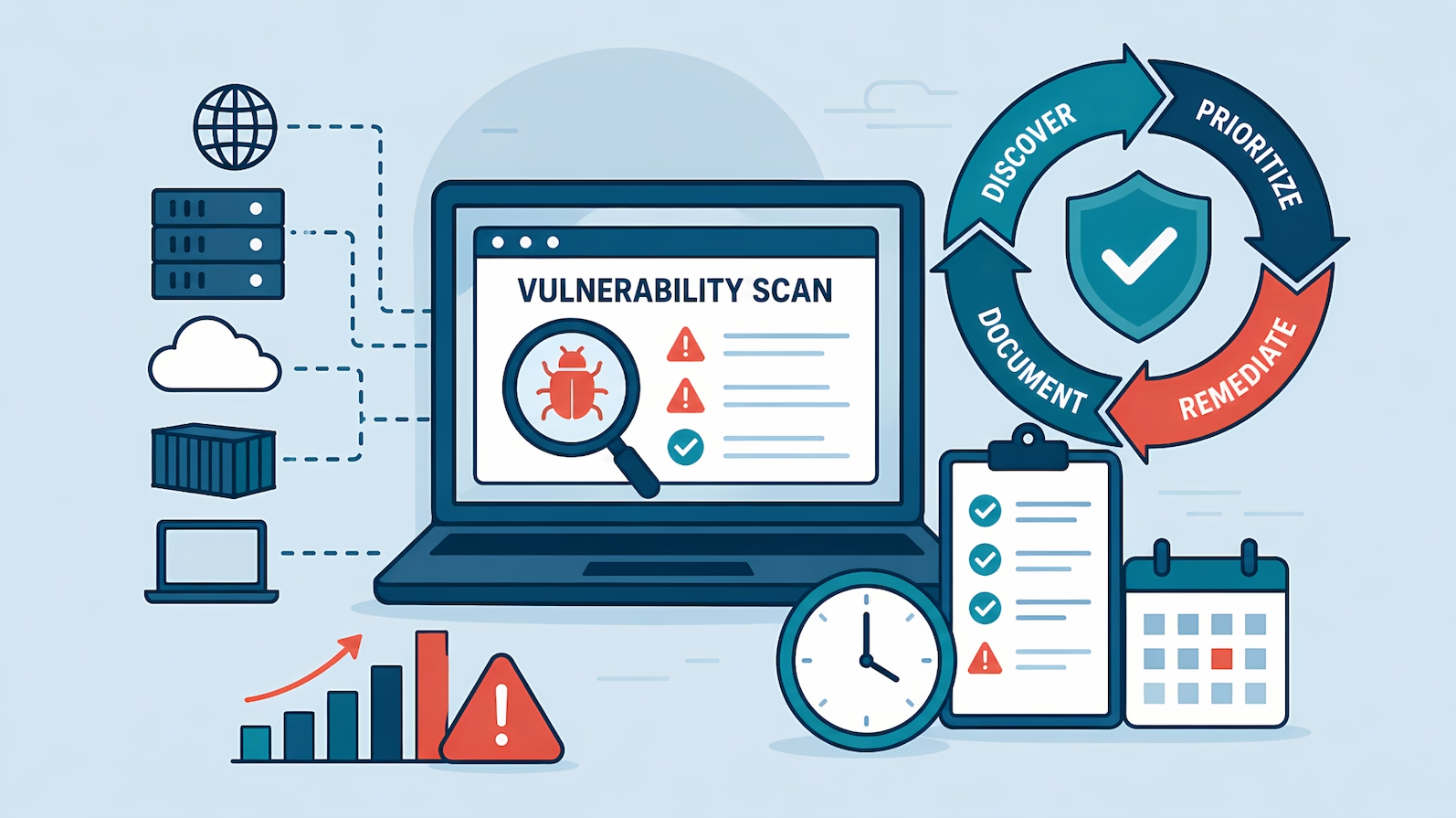
A vulnerability scan is an automated check that compares systems, software, and configurations against a database of known security weaknesses and reports which ones are present. A scanner enumerates what is running on a target (open ports, services, software versions, settings) and matches it against published vulnerabilities (CVEs) and misconfiguration baselines. The output is a report listing each finding with a severity rating, usually scored with CVSS.
Vulnerability scanning at a glance
- What it is: automated detection of known vulnerabilities and misconfigurations
- What it is not: a penetration test; no human validates or exploits the findings
- Typical cadence: weekly to monthly for internet-facing systems; continuous with agent-based tools
- Cost: low; scanners are largely commodity tooling, and several capable ones are free
- Compliance role: expected by SOC 2 (CC7.1), ISO 27001 (A.8.8), PCI DSS (11.3), and most customer security reviews
- Main limitation: finds known flaws in known assets; misses business logic flaws and anything it cannot reach
How does a vulnerability scan work?
A scanner works in three steps: discover, enumerate, match. It first discovers live targets in the range it is pointed at, then enumerates what each target runs (services, versions, patch levels, configuration settings), then matches that inventory against a vulnerability database that vendors update continuously as new CVEs are published.
Findings come back with a severity score. CVSS ratings run from low to critical, and scanners add their own prioritization on top, factoring in whether exploit code is publicly available or the flaw is being exploited in the wild. A raw scan of a mid-size environment routinely returns hundreds or thousands of findings, and a large share are duplicates, low-severity noise, or findings on systems that do not matter. Triage is where the real work of vulnerability management starts.
What are the types of vulnerability scans?
Scan types differ along two axes: where the scanner sits and what credentials it has.
At the lightest end of that spectrum sits a passive external scan you can run right now: it reads the public DNS, mail, TLS and header records for a domain without sending a single probe to the hosts.
| Scan type | How it works | Best for |
| Network (unauthenticated) | Probes targets from outside, sees what an attacker on the network sees | External attack surface, firewall and exposure checks |
| Network (authenticated) | Logs in with credentials and inspects patch levels and configs from inside | Accurate patch and configuration findings, far fewer false positives |
| Agent-based | Software agent on each host reports continuously to a central console | Servers and laptops, remote workforces, near-real-time visibility |
| Web application | Crawls a web app and tests for flaws like SQL injection and XSS | Public web applications and APIs |
| Container / image | Inspects container images for vulnerable packages before and after deploy | CI/CD pipelines, Kubernetes environments |
| Cloud configuration | Checks cloud accounts against provider baselines | AWS, Azure, and Google Cloud misconfigurations |
Authenticated scans consistently produce more accurate results than unauthenticated ones because the scanner reads installed package versions directly instead of guessing from network banners. A practical program usually combines two or three types: agent-based scanning on servers and endpoints, network scanning for devices that cannot take an agent (switches, storage arrays, appliances), and image scanning in the build pipeline for containerized workloads.
What is the difference between a vulnerability scan and a penetration test?
A vulnerability scan is automated detection of known flaws; a penetration test is a human attacking the system to prove what is exploitable. The distinction decides whether an auditor accepts the evidence. A scan report relabeled as a pen test is a common way SOC 2 audits get extended: the auditor reads the report, sees no exploitation chain and no business logic findings, and asks for a re-test.
| Vulnerability scan | Penetration test | |
| Performed by | Software, automated | Human tester (often scanner-assisted) |
| Finds | Known CVEs, missing patches, misconfigurations | Validated exploits, chained attacks, authorization and business logic flaws |
| Output | Long list of potential issues, severity-scored | Short list of proven risks with reproduction steps |
| Frequency | Continuous to monthly | Annually, or after major changes |
| Cost | Low | Significant |
| Compliance role | Recurring control (SOC 2 CC7.1, ISO 27001 A.8.8) | Point-in-time validation, often customer- or auditor-requested |
Infrastructure scan vs. web app scan vs. penetration test: how to tell from the report
Does the report contain validated authorization findings, such as one user accessing another user's data (IDOR) or role boundary violations, with reproduction steps? Scanners, including web application scanners, cannot reliably find these because they require knowing what each user is supposed to access. If the report is only CVEs and missing patches, it was an infrastructure scan; if it is only generic injection and XSS classes with no exploitation evidence, it was a web app scan. Neither is a penetration test, whatever the cover page says.
The two disciplines complement each other. Scanning is the continuous control that keeps known flaws from accumulating; testing is the periodic validation that the whole system, including its logic, resists a motivated human. The pen testing advisory page covers how to scope the human-led side.
What does a vulnerability scan miss?
A scanner only finds known flaws in assets it can reach, and both halves of that sentence fail in practice.
Unknown and logic flaws. Scanners match against databases of published vulnerabilities. Business logic flaws, authorization gaps, novel zero-days, and multi-step attack chains do not appear in any database, so no scanner reports them. This is the gap penetration testing exists to cover.
Assets the scanner cannot see. Vulnerability data inherits every failure of asset inventory. In one enterprise engagement reviewed ahead of a platform launch, the dashboard number was wrong in both directions at once: the scanner was still reporting findings from decommissioned devices it had scanned once, while real vulnerabilities sat invisible on systems the scanner had no reachability into.
Why CIS puts inventory first
CIS Controls v8 puts asset inventory at Control 1, ahead of vulnerability management at Control 7, because scan data is only as accurate as the scanner's map of the environment. A recurring reconciliation between the asset inventory and scanner coverage is what keeps the dashboard number honest.
Findings nobody actions. A scan that runs on schedule while its findings accumulate unread produces evidence of a control that exists on paper only. Detection without a remediation loop fails an audit and, more importantly, fails against attackers.
How often should vulnerability scans run?
Cadence should be proportional to exposure, not uniform across the environment. Small teams that try to scan everything on the same aggressive schedule burn out and stop; a tiered model concentrates effort where risk concentrates and is honest enough to survive an audit.
A tiering pattern that works across engagements:
| Tier | Assets | Scan cadence |
| 1 | Internet-facing production, VPN, jump hosts | Weekly or continuous (agent) |
| 2 | Internal servers and infrastructure behind VPN | Monthly to quarterly |
| 3 | Low-risk appliances, management interfaces | Annual manual version check |
SOC 2 CC7.1 requires vulnerability identification; it does not prescribe a single cadence for every asset class. An auditor accepts a documented tiered policy that the team demonstrably follows over an aspirational uniform policy that the evidence shows being violated. The guide to vulnerability scanning for SOC 2 in on-prem environments covers the on-premises version of this model in detail.
What remediation SLAs are typically accepted?
Remediation timelines are a separate control from scan cadence, scaled by severity and exposure. The timelines below are the pattern auditors and customer security reviews typically accept:
| Severity | Internet-facing | Not internet-facing |
| Critical / High | 24 to 48 hours (treated as emergency patching) | 7 to 14 days |
| Medium | 30 days | 30 days |
| Low | 90 days | 90 days |
When a system cannot be patched within SLA
Document a risk acceptance with compensating controls, then review it periodically to confirm the risk posture has not changed for the accepted vulnerabilities. Reviews typically run quarterly, or annually for lower-risk systems like internal network switch firmware.
The worst version of an SLA policy is an aspirational one: a 24-hour critical SLA that gets missed repeatedly hands the auditor a stack of policy violations, while timelines the team demonstrably meets are defensible.
What to do with scan results
The scan is the cheapest part of vulnerability management. The findings pipeline determines whether the capability works:
- Deduplicate and validate. Purge findings from dead assets and confirm coverage of live ones before trusting any count.
- Prioritize by exposure, not raw CVSS. A medium-severity flaw on an internet-facing system usually outranks a critical one on an isolated internal box.
- Set achievable SLAs. Use the typically accepted baseline above: critical and high within 24 to 48 hours when internet-facing (7 to 14 days internally), medium within 30 days, low within 90. Ticket the critical and high findings so remediation is traceable; medium and low findings can be tracked in the scanner dashboard without individual tickets, keeping the documentation burden proportional to the risk.
- Keep the evidence chain. Scan schedules and dashboards prove detection; tickets prove response; periodic snapshots prove the trend. Auditors value the longitudinal view over any single clean scan.
Where scanning fits in a security program
Vulnerability management is one of the roughly 19 security capabilities that make up an effective security program, alongside asset management, access control, incident response, and the rest. The scanner is the tool; the capability is the loop around it: inventory reconciliation, triage, prioritization, remediation with SLAs, and evidence that the loop keeps running. Companies that treat the tool as the program end up with a dashboard number nobody trusts and an audit finding to go with it.
Built this way, compliance follows as a byproduct. The same scanning cadence, SLA policy, and ticket trail that keep exposure down are the evidence SOC 2, ISO 27001, and customer security reviews ask for. Teams that need the scan to satisfy a deal-blocking security questionnaire are usually being asked for the capability, whether they build it in-house or bring in vulnerability assessment services to stand it up.
Make Vulnerability Management Run Itself
A capability assessment shows where scanning fits in an effective security program, and what to build first.
Frequently Asked Questions
Is a vulnerability scan the same as a penetration test?
No. A vulnerability scan is automated detection of known flaws and misconfigurations. A penetration test is a human-led exercise that validates and exploits weaknesses, including business logic and authorization flaws no scanner can find. Auditors treat them as different evidence and often expect both.
How long does a vulnerability scan take?
Minutes to hours depending on scope. A network scan of a small external footprint finishes in under an hour; an authenticated scan across hundreds of hosts can run several hours. Agent-based scanning is effectively continuous, with results updating as agents check in.
How much does vulnerability scanning cost?
Scanning is inexpensive relative to other security spend. Open-source scanners are free; commercial platforms typically price per asset per year. The real cost is the recurring effort to triage findings and drive remediation, which is where budgets should focus.
Do SOC 2 and ISO 27001 require vulnerability scanning?
Effectively yes. SOC 2 CC7.1 expects procedures to detect vulnerabilities, ISO 27001 control A.8.8 requires managing technical vulnerabilities, and PCI DSS 11.3 mandates quarterly scans explicitly. Auditors expect scan schedules, results, and remediation records as evidence.
Can a vulnerability scan cause outages?
Rarely, but it happens with fragile targets. Unauthenticated network scans can destabilize legacy devices, embedded systems, and old printers. Authenticated and agent-based scans are gentler. Scanning production for the first time warrants a maintenance window and a small pilot scope.
What is the difference between a vulnerability scan and a vulnerability assessment?
The scan is the automated data collection. An assessment is the broader exercise: scoping the asset inventory, running and validating scans, prioritizing findings against the environment's actual exposure, and producing a remediation plan. The scan is one input to the assessment.
Ready to Start Your Compliance Journey?
Get a clear, actionable roadmap with our readiness assessment.
Contact Us
Free Report: The CPCSC Compliance Playbook
Join the waitlist for a free copy when it’s released.
About the Author

Former security architect for Bank of Canada and Payments Canada. 20+ years building compliance programs for critical infrastructure.