
.svg)
TL;DR
- Patching is a three-criteria activity in SOC 2: CC8.1 has a Point of Focus literally called Manages Patch Changes, with CC6.8 covering unauthorized-software prevention and CC7.1 covering the vulnerability detection loop
- Tier the patch program by asset class (production servers, network appliances, hypervisors, endpoints, firmware) and set a cadence the team can hold under realistic conditions
- Modern tools cover the spectrum: NinjaOne, Kandji, Automox, Microsoft Intune for cross-platform; SCCM, WSUS, Red Hat Satellite for legacy enterprise estates
- For systems that cannot be patched, network isolation on a restricted VLAN is the primary compensating control auditors accept, supported by enhanced monitoring and a documented replacement plan
- Continuous evidence (patch reports, scan-after-patch verification, ticket history, exception register) beats a clean record assembled the week before the audit
The team that fails its on-prem patching audit usually isn't the team with the oldest hardware. It's the team with a 24-hour critical SLA they cannot meet on bare metal, written into a policy two years ago by somebody who no longer works there. The auditor pulls a sample of critical CVEs from the observation period, checks the remediation timestamps against the policy, and the gap between the two becomes the finding.
A defensible on-prem patching program starts from the opposite direction: a cadence the team can hold under realistic conditions across operating systems, applications, hypervisors, BIOS and UEFI firmware, out-of-band management cards, switch firmware, the edge firewall appliance, and storage controllers. Each of these has a different release rhythm, a different test procedure, and a different blast radius. SOC 2 doesn't care how many moving parts there are. It cares that vulnerabilities get remediated on a defensible cadence, that exceptions are handled deliberately, and that the evidence trail is continuous.
How Patching Maps to the Trust Services Criteria
Patch management is one of the few SOC 2 program activities that intersects three criteria. Treating it as a single control is where teams get confused.
Three criteria, one program activity
CC7.1 answers do you know what's vulnerable. CC6.8 answers what did you do about it, and how fast. CC8.1 answers did you handle each patch as a tracked, approved, tested change. A patch program that maps cleanly to all three is a program that holds up under audit.
CC8.1 (Change Management) is the most direct mapping. The 2017 TSC names patch management as one of its Points of Focus, listing it as Manages Patch Changes and describing it as a process for identifying, evaluating, testing, approving, and implementing patches on a timely cadence across infrastructure and software. Patching is, in the AICPA's own framing, a particular kind of change. The same authorization, testing, approval, and tracking discipline that applies to any production change applies to patches.
CC6.8 covers the prevention and detection of unauthorized and malicious software, including the timely remediation of known vulnerabilities through patching. The outcome language matters: prevent exploitable conditions from persisting on production, apply updates on a defensible cadence, and handle deviations through a documented exception process.
CC7.1 covers the identification and monitoring of vulnerabilities over time. It's the detection half of the loop. Scanning finds what's vulnerable, monitoring surfaces new issues as they're published, and the evidence stream shows the team is looking continuously rather than once a year.
The sibling posts on on-prem vulnerability scanning and SOC 2 change management with tickets cover CC7.1 and CC8.1 in depth. This post covers patching across all three. The full Points of Focus for each criterion are in the reference section near the end of the post. None of the three criteria prescribe a specific tool or timeline. All three expect a program that matches how the team actually operates and produces continuous evidence.
Scope: Tiering the Patch Program
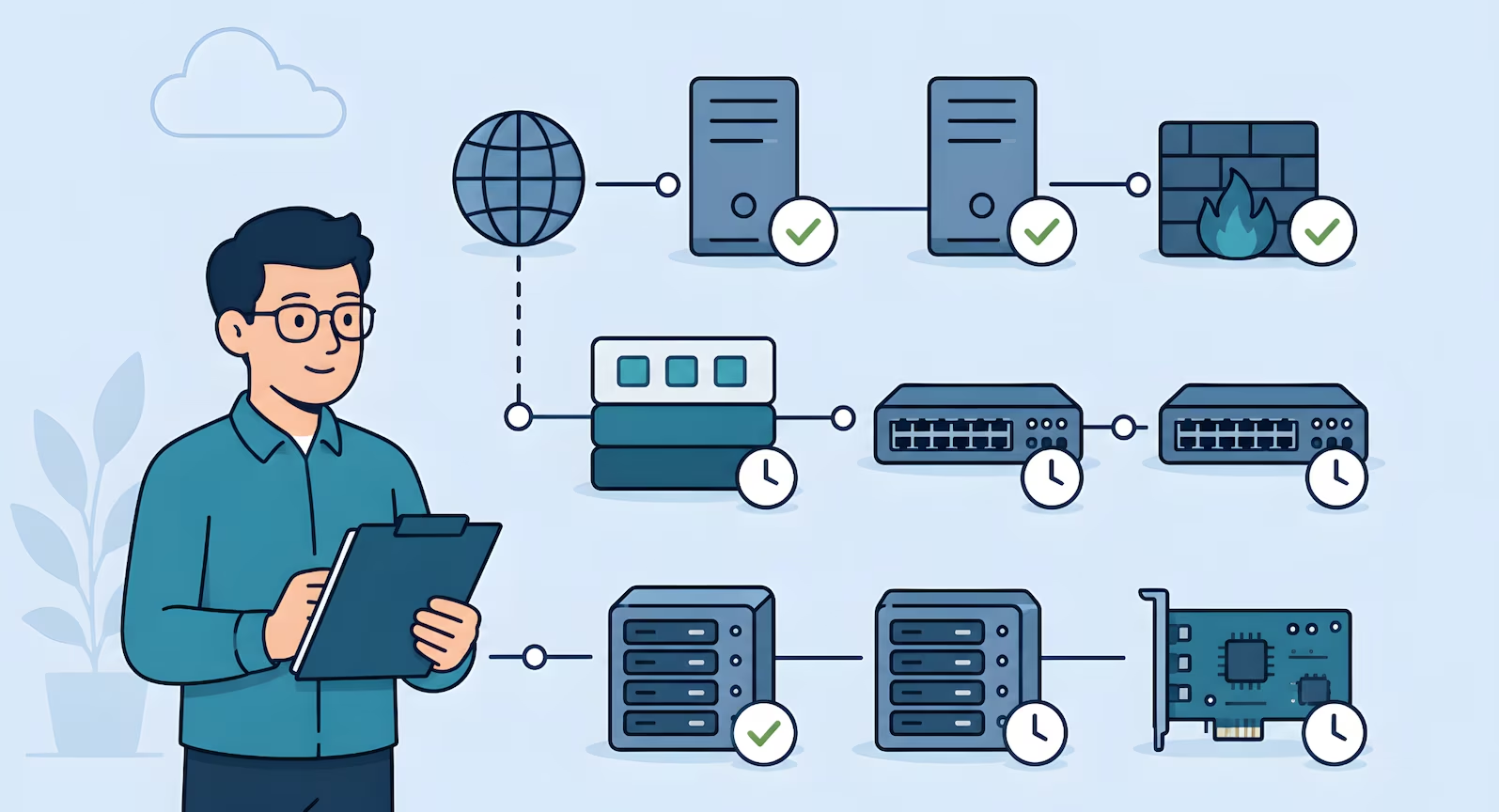
A typical on-prem footprint includes Windows Server, Linux distributions, database engines, hypervisors such as VMware ESXi or Proxmox, BIOS and UEFI firmware, out-of-band management cards (Dell iDRAC, HPE iLO, Supermicro IPMI), managed switches, an edge firewall appliance, and storage controllers. Each has its own release cadence, patch source, and risk profile. A program that treats all of this as one queue will either fail to cover the long tail or collapse under its own weight.
Several of these devices expose no API to a GRC platform, and the guide to SOC 2 evidence collection without APIs covers how to record their patch and configuration state for the auditor.
The move that makes CC6.8 tractable on-prem is the same move that makes scanning tractable under CC7.1: classify assets into tiers and apply proportionate cadence to each.
| Tier | What's in scope | Cadence |
| Tier 1 | Internet-facing production systems, bastion and VPN hosts, perimeter firewall appliances, servers processing production data | Weekly patch review · 48-hour critical SLA after non-prod validation · monthly rollup for routine updates |
| Tier 2 | Hypervisors, internal firewall appliances, staging and build servers, internal management infrastructure | Monthly patch cycle · 7-day critical SLA · quarterly firmware review |
| Tier 3 | Managed switches, storage controller management interfaces, out-of-band management cards (iDRAC, iLO, IPMI), UPS management, low-exposure network appliances | Quarterly firmware review · remediation tied to next maintenance window after vendor advisory |
The same tier model underpins CIS benchmark scanning on-prem, so scan findings that flag unpatched software feed directly into the patch queue. From real engagements: a company operating for over fifteen years entirely on-premises had never performed vulnerability scanning, and the lead developer's patching process was logging into each system to check for updates. The tiered classification approach resolved it. Weekly on internet-facing systems, quarterly on internal, annual on isolated low-risk devices. The team could run it. The auditor could verify it.
Technology: The Tool Landscape That Matches Reality
Cloud SOC 2 guides list three or four cloud-native patch services and stop. On-prem programs draw from a wider toolbox, and pretending every shop runs the same stack is how thought leadership stops reflecting the real ICP.
Modern cross-platform tooling. Most mid-market SaaS, MSPs, and hybrid shops run modern RMM or UEM platforms:
- NinjaOne is a cross-platform RMM with integrated patching for Windows, macOS, and Linux, common in MSPs and mid-market SaaS
- Automox is cloud-native patching across Windows, macOS, and Linux
- Microsoft Intune covers Windows patching and feature updates as the cloud replacement for classic SCCM
- Kandji handles automated macOS patch policies for Apple-heavy environments where Jamf feels over-scoped
- Jamf is the enterprise standard for larger macOS and iOS fleets
These tools share a pattern that matters for SOC 2: patch deployment, policy definition, and compliance status live in the same console, so execution history and representative samples are one export away.
Legacy enterprise tooling. Still common and still valid, especially in manufacturing, defence, and regulated healthcare environments with long-standing Windows and Red Hat estates:
- WSUS for smaller Windows footprints
- SCCM for larger Windows estates that need deep device targeting and reporting
- Red Hat Satellite for RHEL fleets that need formal content management
- Ansible for configuration-driven Linux patching
Hypervisor, firmware, and verification. Hypervisors get patched through VMware Update Manager or Proxmox repositories, almost always requiring a rolling host reboot with live VM migration or planned per-host downtime. BIOS, UEFI, and out-of-band management firmware come from hardware vendor channels through iDRAC, iLO, or IPMI. Most teams standardize on a semiannual firmware rollout alongside hypervisor patching. Switches and the edge firewall appliance patch through vendor channels, with critical releases tested in a lab instance because the blast radius of a bad firewall update covers the entire environment. Pairing patching with scanning cuts the evidence burden: Wazuh runs vulnerability detection from the same agent that handles log forwarding, Nessus fills the enterprise scanning role, and the next scheduled scan after a patch cycle becomes the verification artifact.
Process: Testing, Maintenance Windows, and Rollback
Three elements tend to trip on-prem teams up.
Testing before production. Patches land in non-prod first, smoke and regression checks run against core application flows and database connectivity, and if the stack looks healthy through a defined soak period (24 to 72 hours is typical), the patch is approved for production. From real engagements: a SaaS team drafted an initial SLA of 24 hours for critical vulnerabilities, then realized they could not reliably meet it because changes required testing windows. Adjusting to 48 hours made it achievable and auditable. Missing a self-imposed SLA repeatedly is a worse audit outcome than a slightly longer SLA the team hits every time.
Maintenance windows. A patch is a change, which means the coordination lives inside the change management workflow. The evidence the auditor expects is specific: an approval record showing what was planned, what changed, who approved it, and what happened. Most teams run this through their ticketing system, and the same ticket doubles as the change record and the patch execution artifact. The mechanics of that workflow, including CAB involvement and post-implementation verification, are covered in SOC 2 change management with tickets instead of CI/CD.
Rollback planning. Every patch procedure should have a rollback plan documented before the patch runs. For Windows and Linux, that usually means hypervisor-layer snapshots or a known-good image on standby. For firmware, rollback is often revert to the previous release from the vendor channel, which is not always possible. Where rollback is constrained, the team accepts that risk up front and records it in the patch ticket.
Exceptions and Compensating Controls for Unpatchable Systems
The hardest part of CC6.8 is what happens when a system can't be patched. Legacy hardware past end of support, a firmware release that breaks a production integration, an embedded appliance with no patch path, an application that loses vendor support if its dependencies are upgraded. CC6.8 recognizes documented exceptions as valid when the risk is understood and compensating controls are in place.
Network isolation is the primary compensating control
Place the unpatchable system on a dedicated VLAN, restrict inbound and outbound traffic to only what's strictly required, document the isolation in the edge firewall appliance rules and network diagrams, and revisit the risk acceptance quarterly. The system still does its job. Its blast radius is minimized. The firewall rule set becomes CC6.8 evidence.
The mechanics are concrete: place the system on a dedicated VLAN or isolated network segment, restrict inbound and outbound traffic to only the ports and destinations strictly required, document the isolation in the edge firewall appliance rules and the network diagram, and revisit the risk acceptance quarterly. The system still exists and still does its job, but its blast radius is minimized and its exposure is explicit. The firewall rule set becomes CC6.8 evidence. The network diagram becomes evidence of the compensating control as described. The on-prem network security controls post walks through the VLAN and firewall patterns that make this durable.
Network isolation is the default. Supporting controls when isolation alone isn't sufficient:
- Restricted physical access to the affected hardware
- Host-based firewall rules added on top for defence in depth
- Enhanced SIEM monitoring with tighter alerting thresholds
- Scheduled replacement plan with a named end-of-life date that turns the exception into a time-bounded decision
The exception ticket is the durable artifact. It names the system, the patch that can't be applied, the reason, each compensating control with enough specificity that the auditor can verify it, the approver, and the next review date. A handful of deliberate, well-documented exceptions is a healthier audit signal than a clean record with none, which usually means the exception process isn't being used. The pattern to avoid is silent non-patching: a device running three-year-old firmware with no ticket and nobody owning the decision.
Evidence: What the Auditor Samples
Patch evidence under CC6.8 and CC7.1 follows the same three-part continuous evidence pattern used across the rest of the program.
- Configuration evidence proves the program exists: documented policy, tier classifications, defined SLAs per tier, named owners
- Execution history proves the process runs on cadence: patch reports from whichever tool covers each asset class (NinjaOne, Automox, Intune, Kandji, Jamf, WSUS, SCCM, Red Hat Satellite, Ansible run logs), hypervisor patch records, and firmware update tickets for BIOS, iDRAC, iLO, IPMI, switches, and the edge firewall appliance
- Representative samples prove the output is meaningful: one full patch report, one scan-after-patch result showing the flagged vulnerability cleared, one exception ticket walking through a risk acceptance with compensating controls, one maintenance window ticket tying a patch cycle to approval, implementer, and post-change verification
The goal is an unbroken record the auditor can sample without finding silent gaps. The ticketing and SLA workflow guide walks through how the remediation queue threads through that sample.
People: Ownership That Survives a Vacation
The ownership model that holds up under audit has three roles:
- An owner runs the cadence, coordinates non-prod testing, schedules maintenance windows, and maintains the evidence trail
- A reviewer signs off on exception tickets and reviews the quarterly patching summary
- A backup can run the cycle during absences
A fractional security team often carries the reviewer role on retainer.
Programs run on cadence, not intention
A single missed patch is rarely what derails a program. The bigger risk is a cycle that ran for three months, stopped when the primary owner went on leave, and never restarted because nobody else was named.
Where This Lands in an Effective Security Program
Teams that pass on-prem SOC 2 cleanly on CC6.8 and CC7.1 are not the ones with the newest tools. They're the ones whose program is honest about operational reality: tiered by risk, tested before production, coordinated through real maintenance windows, exceptions documented and reviewed on a defined schedule, evidence captured continuously rather than assembled the week before the audit.
Build the program once with a workflow that matches how the team actually runs. Map frameworks onto it without restart. The same tiered program satisfies the remediation and monitoring outcomes in SOC 2, the configuration management outcomes in ISO 27001, and the patch-related controls in CPCSC and ITSP.10.171. The alternative, a generic policy retrofitted onto infrastructure it was never designed for, is the fastest way to produce evidence of the team's own policy violations.
Run SOC 2 on Bare Metal Without the Scramble
Truvo designs on-prem patch management programs as part of an effective security program that holds up under audit and survives a vacation.
Further Reading
- SOC 2 Readiness for Bare Metal SaaS: cluster overview and what an on-prem engagement looks like
- SOC 2 Vulnerability Scanning for On-Prem: the detection feed for the patch queue
- SOC 2 Change Management with Tickets: how patch tickets fit the broader change workflow
- SOC 2 Configuration Baselines for Bare Metal: how baseline scanning feeds the patch queue
- How to Choose a SOC 2 Consultant: what to look for if the patching program needs outside help
How Patching Maps to Points of Focus Across CC8.1, CC6.8, and CC7.1
Patch management is one of the few SOC 2 program activities that intersects three Trust Services Criteria. The 2017 TSC (with revised Points of Focus, 2022) includes a Point of Focus under CC8.1 that names patch management directly, which is the most direct mapping. CC6.8 covers the unauthorized-software prevention angle, and CC7.1 covers the vulnerability detection loop that feeds patch identification. Here's how the relevant Points of Focus from each criterion translate to the on-prem patching program described above.
CC8.1, Change Management
CC8.1 governs how the organization authorizes, designs, develops, configures, documents, tests, approves, and implements changes to infrastructure, data, software, and procedures.
- Patch management as a change type. AICPA explicitly calls out patches as a category of change that needs identification, evaluation, testing, approval, and timely implementation across infrastructure and software. This is the most direct PoF mapping for patching content. Practically, every patch flows through the same change discipline as any other production change, with severity-driven SLA tiers shortening the cycle.
- Testing before production. Changes need to be tested before they reach production environments, with the depth of testing proportional to the change. For on-prem patching, this is the test-in-non-prod step that buys the team room before maintenance windows open.
- Emergency change handling. A documented process for changes that can't wait for the standard cadence. Critical patches with active exploitation get the emergency change path, with post-hoc approval and CAB review at the next cycle.
CC6.8, Prevention and Detection of Unauthorized or Malicious Software
CC6.8 governs how the organization prevents and detects the introduction of unauthorized or malicious software.
- Restricting who can install or modify software. Only authorized personnel can install or modify applications and software. Utility software that could bypass normal security gets extra restriction and monitoring. For patching, this means the team applying patches has documented authorization, and ad-hoc patching from arbitrary accounts is prevented at the technical level.
- Detecting unauthorized changes to software and configuration. Detection mechanisms for software and configuration parameter changes that may indicate unauthorized or malicious activity. For patching, this is the file integrity monitoring or scan tooling that catches drift from a known-patched state and surfaces unexpected configuration changes.
- A defined change control process for software implementation. Software changes are governed by a management-defined change control process. Patches are software changes, so they fall under the same framework, and the patch ticket workflow is the implementation of that framework for this specific category.
CC7.1, Vulnerability Detection and Monitoring
CC7.1 governs how the organization detects and monitors for changes that introduce vulnerabilities, and for newly published vulnerabilities affecting existing systems.
- Vulnerability scans on a defined cadence. Periodic infrastructure and software vulnerability scans, with action on identified deficiencies in a timely manner. This is the detection feed for the patch program. Without it, the patch backlog is unknowable. With it, patching becomes a closed-loop discipline driven by scan output.
- Continuous monitoring for noncompliance with standards. Ongoing monitoring of infrastructure and software for drift from established configuration standards. This catches systems that fall behind a baseline because they missed a patch cycle, and surfaces them as exceptions before the next scheduled scan.
Explore further in Framework Explorer: CC8.1 · CC6.8 · CC7.1, see the full requirement, implementation guidance, evidence types, and cross-framework mappings.
Source: AICPA TSP Section 100, 2017 Trust Services Criteria with Revised Points of Focus (2022). Point of Focus characteristics described in Truvo's words and mapped to an on-prem patching implementation pattern. Consult the source document for the official AICPA text.
Frequently Asked Questions
What do SOC 2 CC6.8 and CC7.1 require for patch management?
CC6.8 covers the prevention and detection of unauthorized and malicious software, including the timely remediation of known vulnerabilities through patching. CC7.1 covers vulnerability identification and monitoring, which is the detection side of the loop that feeds the remediation process. Neither criterion prescribes specific tools or timelines. Both expect the program to match how the team actually operates and to produce continuous evidence across the observation period.
What patch management tools work for SOC 2 on bare metal and hybrid environments?
Modern cross-platform options include NinjaOne (common in MSPs and mid-market SaaS), Automox (cloud-native multi-OS), Microsoft Intune (cloud-based Windows and multi-OS UEM), Kandji (macOS-focused), and Jamf (enterprise Apple fleets). Legacy enterprise options still fit Windows-heavy or RHEL-heavy estates: WSUS, SCCM, Red Hat Satellite, and Ansible for configuration-driven Linux patching. Hypervisor patching uses VMware Update Manager or Proxmox repositories. Verification is handled by scanning tools such as Wazuh or Nessus.
What are the compensating controls for systems that can't be patched?
The primary compensating control auditors accept is network isolation: place the system on a dedicated VLAN, restrict inbound and outbound traffic to only what's strictly required, document the isolation in the edge firewall appliance rules and network diagrams, and revisit the risk acceptance quarterly. Supporting controls include restricted physical access, host-based firewall rules, enhanced SIEM monitoring, and a documented replacement plan with a named end-of-life date.
Should critical patches be applied within 24 hours for SOC 2 on-prem?
Not necessarily. A 48-hour SLA for critical patches on internet-facing systems is well-received by auditors and realistic for on-prem teams that need non-prod validation time. A 24-hour SLA often produces evidence of repeated policy violations. Missing a self-imposed SLA repeatedly is a worse audit outcome than a slightly longer SLA the team consistently hits.
How are firmware patches for BIOS, iDRAC, iLO, and IPMI handled under SOC 2?
Firmware for servers, out-of-band management cards, switches, and the edge firewall appliance is typically patched on a scheduled maintenance cycle, often semiannually, using vendor release channels. Each update is documented in a change ticket with approval, pre-change testing notes, maintenance window reference, and post-change verification. Critical firmware advisories are handled ahead of cycle through the exception path, with lab testing before production rollout where the blast radius requires it.
Ready to Start Your Compliance Journey?
Get a clear, actionable roadmap with our readiness assessment.
Contact Us
Sample SOC 2 Control List
Input your email to download the list.
About the Author

Former security architect for Bank of Canada and Payments Canada. 20+ years building compliance programs for critical infrastructure.