
.svg)
TL;DR
- Endpoint security maps to CC6.1 (logical access architecture, named asset inventory, encryption at rest, MFA where warranted) and CC6.8 (anti-malware, restricted software installation, change detection)
- The realistic minimum laptop baseline is five enforced controls: password policy, encryption at rest, antimalware, session timeout, optional local firewall
- CIS Benchmarks are the gold standard, not the SOC 2 minimum for laptops. They fit best on servers, network appliances, and hypervisors
- Modern UEM tools cover heterogeneous fleets: Microsoft Intune (cross-platform), Kandji, Jamf (Apple), NinjaOne (MSP-friendly). EDR is typically CrowdStrike Falcon, SentinelOne, or Microsoft Defender for Endpoint
- Documented exceptions with compensating controls beat a clean record with silent gaps; auditors expect a small number of well-managed exceptions in any heterogeneous environment
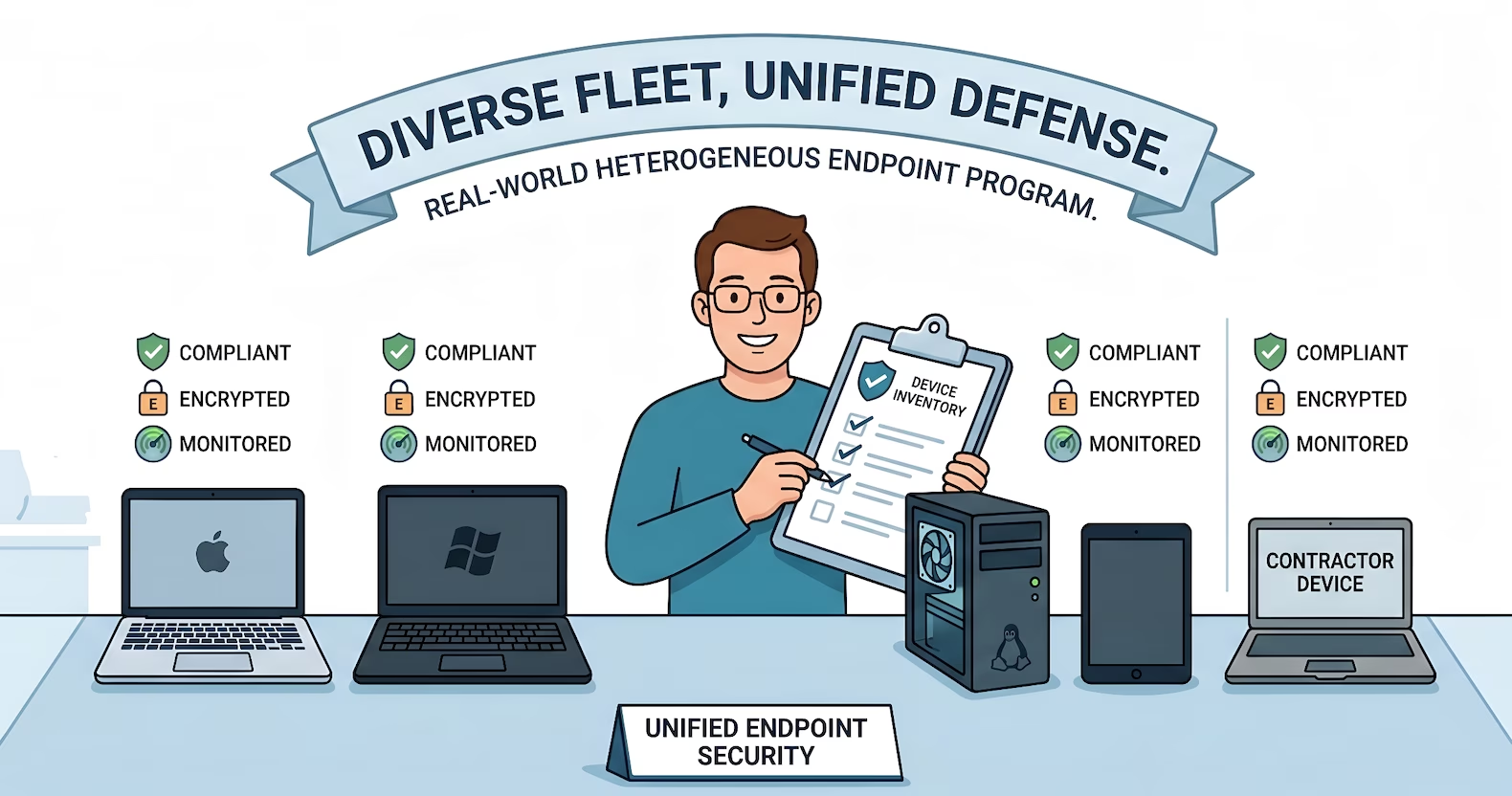
A typical bare metal SaaS team carries Apple Silicon Macs for engineering, a few Intel MacBook Pros that survived the last refresh cycle, Windows 11 laptops for sales and operations, two or three Linux workstations on the infrastructure side, and a rotating set of contractor laptops nobody got around to enrolling. Some shipped from central IT with a standard image. Some were expensed by team leads on AmEx and shipped directly. The MDM dashboard shows roughly eighty percent of them. The spreadsheet tracks the rest. The reconciliation between the two happens on the Friday before the auditor arrives.
The auditor does not care how messy the fleet looks. They care that every endpoint in scope is known, hardened, encrypted, monitored, and recoverable, and that the evidence trail is continuous across the observation period. Manufacturing shops add shop-floor Windows tablets. Healthcare and defence shops add kiosk-mode endpoints that cannot accept a standard agent. MSPs carry their own corporate fleet alongside a rotating set of client devices under different management regimes. Every one of those devices has to land somewhere in the program, and the program has to produce evidence the auditor can sample.
How Endpoint Security Maps to the Trust Services Criteria
Endpoint security sits across two Trust Services Criteria, and most on-prem teams get tripped up by treating them as a single control.
CC6.1 covers the logical access architecture that protects information assets. Read through the lens of endpoints, it names the components that matter: inventory of information assets including endpoint devices, configuration hardening, identification and authentication of users, encryption of data at rest and in transit, and the management of credentials used to authenticate to corporate systems. The Point of Focus list calls out endpoint devices by name, and it calls out multi-factor authentication as a technique the entity uses when warranted by its risk strategy. CC6.1 is where the auditor evaluates whether the endpoint is a trustworthy client for the access model described in SOC 2 access control for on-prem environments.
CC6.8 covers the prevention and detection of unauthorized and malicious software. The most directly relevant Point of Focus names antivirus and anti-malware on endpoint devices as something the entity is expected to operate and maintain. Other PoFs under CC6.8 cover the restriction of who can install or modify software on an endpoint, and the detection of unauthorized changes to software and configuration parameters that may signal compromise. CC6.8 is where EDR coverage, software installation restrictions, and configuration drift detection get evaluated.
Two criteria, one question each
CC6.1 answers is the endpoint a trustworthy place to hold company data and authenticate to company systems. CC6.8 answers is the endpoint protected against, and monitoring for, unauthorized or malicious software. Neither criterion prescribes a specific tool, operating system, or vendor. Both expect the program to match how the workforce actually operates.
Read the two together. The full paraphrased Points of Focus are mapped to the implementation in the reference section near the end of the post.
Scope: What Counts as an Endpoint
The first audit-visible failure on endpoints is a scoping gap. A fleet the team thinks has 38 laptops turns out to have 51 when the contractors, the shop-floor tablets, the conference room kiosk, and the engineer's personal MacBook used to ship production code all get counted. Any device that authenticates to a production system, stores production data (source code, customer records, credentials), or connects to the management network from inside a trust boundary is in scope.
Scoping decisions to make explicitly and document:
- Corporate-issued laptops, desktops, and tablets. Always in scope. No exceptions.
- Contractor devices. In scope if they touch production. Either enrolled under the same management regime or governed by a documented compensating control.
- BYOD. Permitted, prohibited, or restricted. The decision lives in the endpoint security policy and propagates to onboarding workflows.
- Shop-floor tablets, kiosks, and fixed-function endpoints. In scope, usually under a tighter baseline than knowledge-worker laptops because they run a narrower set of approved software.
- Development and engineering workstations including Linux desktops. In scope, and frequently the most overlooked category. These are also the devices most likely to hold production credentials.
- Mobile devices used to authenticate to production systems. In scope when they're used as MFA factors or for production access. Personal phones used only for email may sit outside scope depending on policy.
The asset inventory is the durable artifact for this scoping decision, and CC6.1 names asset inventory explicitly as a Point of Focus. Without it, the auditor can't tell whether the fleet is 38 or 51, and neither can the team.
Technology: The Tool Landscape for a Mixed Fleet
Cloud SOC 2 content often assumes a single UEM covers the whole fleet. For heterogeneous on-prem and hybrid shops, one tool rarely does. The program has to stitch coverage across several.
Unified endpoint management. Microsoft Intune is the broadest cross-platform option, covering Windows, macOS, and Linux through configuration profiles and compliance policies, and replacing the classic SCCM role for most of what matters to SOC 2. Kandji is the automated macOS UEM of choice for Apple-heavy environments that want prescriptive compliance policies. Jamf remains the enterprise standard for large Apple fleets. NinjaOne is a cross-platform RMM common in MSPs and mid-market shops, with endpoint management, patching, and posture reporting in one console.
Endpoint detection and response. The audit expectation has shifted. Signature-based antivirus still satisfies the literal text of the CC6.8 antivirus PoF, but most auditors now expect an EDR solution with behavioral detection, continuous telemetry, and host isolation. CrowdStrike Falcon and SentinelOne are the two most common platforms, with Microsoft Defender for Endpoint as the Intune-native option for Windows-first shops. EDR doesn't remove the anti-malware requirement, it satisfies it more fully, and the telemetry feeds both CC6.8 and CC7.2 anomaly monitoring.
Encryption at rest. Native tooling is what auditors expect. FileVault on macOS, BitLocker on Windows 11, and LUKS on Linux workstations. The evidence is the enforcement policy in the UEM plus an encryption status report showing each in-scope device reporting an encrypted volume.
Authentication at the endpoint. Touch ID on supported Mac hardware, Windows Hello on Windows 11 hardware that supports it, and hardware security keys (YubiKey, Titan) for engineers and administrators who need the strongest factor.
Configuration Baselines: The Realistic Minimum
CIS Benchmarks are the gold standard for endpoint hardening, and they're recommended where the team has the maturity to enforce and maintain them. They are not the SOC 2 minimum, especially for laptops. A team that adopts the full CIS Level 1 control set on every Mac and Windows device will spend more time managing exceptions than running the program.
The practical minimum baseline that satisfies CC6.1 and CC6.8 on laptops is shorter and enforceable on day one:
- Password policy. Length, complexity, and lockout threshold appropriate to the risk strategy, enforced through the UEM or the operating system's local policy
- Encryption at rest. FileVault on macOS, BitLocker on Windows 11, LUKS on Linux workstations, enforced and reporting back to the UEM
- Antimalware. Built-in OS protection (XProtect, Microsoft Defender, ClamAV) at minimum, EDR (CrowdStrike, SentinelOne, Defender for Endpoint) for higher-maturity programs
- Session timeout / automatic screen lock. A short idle period that locks the screen and requires re-authentication
- Local firewall (recommended). Built-in firewall enabled with default-deny inbound, exceptions documented in the baseline
Five controls is the defensible floor
Password policy, encryption, antimalware, session timeout, and local firewall. Each with a UEM policy and a compliance report as continuous evidence. Auditors accept this baseline because it addresses lost device, credential reuse, malware delivery, and idle-session walkup without forcing the team to maintain a 200-control standard nobody ages well with.
Where CIS Benchmarks fit better:
- Servers in production scope, especially database, application, and infrastructure hosts
- Network appliances including the edge firewall appliance, switches, and routers
- Hypervisors running production workloads
- Hardened workstations for engineers and administrators with elevated access
For server and network appliance baselines, CIS Benchmarks are the recommended starting point. The pattern is covered in depth in on-prem configuration baselines with CIS benchmarks. The deeper patching discipline that keeps both laptops and servers in baseline sits in SOC 2 patch management for on-prem.
Kandji, Jamf, Intune, and NinjaOne all enforce the laptop minimum declaratively. The configuration profile itself is the design evidence. The compliance report showing each device in policy is the operational evidence.
Evidence: What the Auditor Samples
Endpoint evidence under CC6.1 and CC6.8 follows the three-part continuous evidence pattern used across the rest of the program.
Configuration evidence proves the program exists: the endpoint security policy, the baseline standards per OS, the UEM configuration profiles, the EDR policy export, and the documented scope.
Execution history proves the process runs on cadence: the monthly asset inventory snapshot with device owner, OS version, enrollment status, and last check-in; the UEM compliance report against the baseline; the EDR coverage report with explicit follow-up on any stale agent; the encryption status report; and the monthly reconciliation tying device assignments to active employees and contractors. The ticketing and SLA workflow covers how these artifacts thread through the review queue.
Representative samples prove the output is meaningful: one full device detail export from the UEM, one EDR detection event with its triage trail, one offboarding ticket showing the device recovered and wiped, one onboarding ticket showing baseline applied on a new laptop, and one exception ticket with its compensating control documented.
A small but reliable process rule: evidence screenshots captured from UEM consoles should show the browser URL bar, the system clock, the relevant data legibly, and a written caption explaining what the screenshot proves. The most common evidence rejection isn't a missing control, it's a screenshot the auditor can't tie back to a specific system at a specific time.
Exceptions and Compensating Controls
The hardest part of endpoint security in a heterogeneous shop is what happens when a device can't be enrolled in the standard UEM. Legacy hardware past current-agent support. A contractor laptop belonging to another organization. A Linux workstation nobody wanted to put on Intune. CC6.1 and CC6.8 both recognize documented exceptions as valid when the risk is understood and compensating controls are in place.
Network isolation is the durable compensating control
Restricted network access through VLAN segmentation and the edge firewall appliance, access only to a narrow set of production systems, a documented local baseline (FileVault or LUKS on, automatic lock on, firewall on, installed software list retained), and an attestation cadence where the device owner verifies the baseline is in place. Each exception gets a ticket naming the device, the reason, the compensating controls, the approver, and the next review date.
When enforcement breaks, switch to detection. A worked example. A team implementing endpoint password policy through a UEM saw the enforcement mechanism cause erratic behavior on Mac, triggering unwanted password reset cycles when the screensaver activated. They disabled enforcement entirely, leaving a policy that said one thing and a fleet that did another. The correct response is to separate enforcement from detection: if enforcement isn't viable without breaking user experience, configure the UEM to detect and report compliance status, then run a periodic check that verifies endpoint configurations meet the policy. The evidence chain becomes policy plus detection report plus periodic review plus remediation ticket for non-compliant devices. CC6.1 expects logical access controls to be in place and monitored, not enforced through one specific technical mechanism.
When MFA isn't feasible on a given system. SOC 2 does not require MFA on every system. It requires that the controls in place are appropriate to the risk. When MFA can't be deployed on a specific system the endpoint authenticates to, the correct path is a formal risk register entry, compensating controls named explicitly (such as strong password requirements plus IP allowlisting plus enhanced monitoring), and a documented risk acceptance by an authorized approver. The risk register entry creates a traceable, deliberate decision, which is the opposite signal from a silent gap.
A handful of well-documented exceptions is a healthier audit signal than a clean record with none. An empty exceptions list usually means the exceptions exist but aren't being tracked.
Process: Onboarding, Offboarding, and Lost Device Recovery
Three processes determine whether the evidence is continuous or pieced together the week before audit.
Onboarding. Every new hire and contractor with a device in scope goes through the same ticket-driven provisioning: laptop received, enrolled in UEM, baseline applied, EDR agent verified, encryption verified, account provisioned through the standard access workflow, and the device record added to the asset inventory. The ticket is the evidence.
Offboarding. Every departure triggers the same ticket: device recovered, contents wiped through the UEM's remote wipe capability, device removed from the UEM and EDR consoles, access revoked, and the asset inventory updated. For remote workers where physical recovery is delayed, the remote wipe happens first and the physical recovery follows.
Lost or stolen device recovery. The ability to remotely wipe a device is a Point of Focus under CC6.1 (recovering devices when no longer needed) and is operationally the single most important endpoint control outside encryption. A documented procedure covers reporting the loss, initiating remote wipe, revoking credentials for any account cached on the device, and filing an incident ticket tied to the broader incident response workflow.
People: Ownership That Survives a Vacation
The ownership model that holds up under audit has three roles. An owner runs the cadence: new-hire enrollment, offboarding, monthly compliance review, and the asset inventory reconciliation. A reviewer signs off on exception tickets and reviews the monthly report. A backup can run the cycle during absences. A fractional security team often carries the reviewer role on retainer.
Programs run on cadence, not intention
A missing configuration is rarely what derails a program. The bigger risk is an endpoint program that ran cleanly for four months, stopped when the primary owner took two weeks off, and never restarted in the same shape because nobody else was named.
Where This Lands in an Effective Security Program
Teams that pass on-prem SOC 2 cleanly on CC6.1 and CC6.8 are not the ones with the most expensive endpoint stack. They're the ones whose program is honest about fleet reality: an explicit inventory covering every device category, a baseline per OS derived from CIS benchmarks, EDR coverage across every in-scope endpoint, encryption verified by report rather than by assumption, exceptions documented and reviewed on a defined schedule, and evidence captured continuously through the ticket workflow.
Build the program once around how the workforce actually operates. Map frameworks onto it without restart. The same endpoint program that satisfies SOC 2 CC6.1 and CC6.8 also satisfies the ISO 27001 Annex A controls on endpoint devices and the CPCSC and CMMC endpoint requirements. Extend, don't restart.
Run SOC 2 Across a Mixed Fleet Without the Scramble
Truvo designs on-prem endpoint security programs as part of an effective security program that matches how heterogeneous fleets actually operate.
Running On-Prem and Need SOC 2?
Truvo is a Canadian cybersecurity consultancy building effective security programs for on-prem, hybrid, and bare metal infrastructure. Our fractional security team designs endpoint security programs that match how heterogeneous fleets actually operate, with evidence captured as a byproduct of the work. See how we structure SOC 2 on-prem consulting engagements, or book a strategy call.
Further Reading
- SOC 2 Readiness for Bare Metal SaaS: cluster overview and what an on-prem engagement looks like
- SOC 2 Access Control for On-Prem: the identity model that gates which endpoints reach which systems
- SOC 2 Vulnerability Scanning for On-Prem: how endpoint vulnerability findings feed the remediation queue
- SOC 2 Patch Management for On-Prem: the patching discipline that keeps endpoints out of CC6.8 exception territory
- How to Choose a SOC 2 Consultant: what to look for if the endpoint program needs outside help
How CC6.1 and CC6.8 Points of Focus Show Up in Endpoint Security
The 2017 Trust Services Criteria (with revised Points of Focus, 2022) list the characteristics AICPA expects auditors to evaluate under each criterion. For CC6.1 and CC6.8, the PoFs most directly relevant to an endpoint program map cleanly to the implementation described above. The paraphrased mappings are below.
CC6.1, Logical Access Security Architecture
CC6.1 covers how the entity implements logical access security software, infrastructure, and architectures over protected information assets.
- Asset inventory covering endpoints. The entity identifies, classifies, and manages its information assets, including infrastructure and endpoint devices. The full device inventory with owner, OS, enrollment status, and last check-in is the implementation.
- Restricting logical access at the endpoint. Access to information assets, with endpoint devices named explicitly in the AICPA text, is restricted through access control software, rule sets, and standard hardening processes. The UEM configuration profile, the OS baseline, and the local admin restriction are the practical implementations.
- Identification and authentication of users. Users, infrastructure, and software are identified and authenticated, with stronger techniques such as multi-factor authentication used where risk warrants. Touch ID, Windows Hello, and hardware keys for privileged accounts satisfy this on endpoints.
- Managing credentials for endpoint devices. New devices are registered, authorized, and documented before being issued credentials, and credentials are disabled when the device is no longer in use. The onboarding and offboarding ticket workflow is the direct implementation.
- Encryption of data at rest on endpoints. Encryption protects data where risk warrants it. FileVault, BitLocker, and LUKS enforced through UEM policy, with the encryption status report as continuous evidence.
- Recovering endpoint devices when no longer needed. Devices are recovered when an employee, contractor, or vendor no longer requires access. The offboarding ticket workflow, the remote wipe capability, and the asset inventory reconciliation satisfy this directly.
CC6.8, Preventing and Detecting Unauthorized or Malicious Software
CC6.8 covers how the entity prevents or detects, and acts on, the introduction of unauthorized or malicious software.
- Antivirus and anti-malware on endpoints. Anti-malware protection is configured and maintained on servers and endpoint devices to detect and remediate malware. The EDR platform (CrowdStrike Falcon, SentinelOne, Microsoft Defender for Endpoint) is the modern implementation, with the coverage report as continuous evidence.
- Restricting who can install or modify software. Installation and modification of applications is restricted to authorized individuals, and utility software that bypasses normal security is further restricted and monitored. On endpoints this is standard-user-by-default plus a managed app catalog plus an admin elevation workflow.
- Detecting unauthorized changes to software and configuration. Processes detect changes to software and configuration parameters that may indicate unauthorized or malicious activity. The UEM compliance drift report and the EDR behavioral telemetry contribute directly.
- A defined change control process for software implementation. Software changes flow through a management-defined change control process. On endpoints this is the managed app catalog updated through the same workflow covered in SOC 2 change management with tickets, with ad-hoc user installations blocked or flagged.
Explore further in Framework Explorer: CC6.1 · CC6.8, see the full requirement, implementation guidance, evidence types, and cross-framework mappings.
Source: AICPA TSP Section 100, 2017 Trust Services Criteria with Revised Points of Focus (2022). Point of Focus characteristics described in Truvo's words and mapped to an endpoint security implementation pattern. Consult the source document for the official AICPA text.
Frequently Asked Questions
What do SOC 2 CC6.1 and CC6.8 require for endpoint security?
CC6.1 covers the logical access architecture that protects information assets, and it names endpoint devices as part of that architecture. The expectation is an inventory, a hardened configuration, strong authentication including multi-factor authentication where risk warrants, encryption at rest, managed credentials, and recovery of devices when no longer needed. CC6.8 covers prevention and detection of unauthorized or malicious software, including anti-malware on endpoints, restricted installation rights, and detection of unauthorized changes to software and configuration. Neither criterion prescribes a specific tool, OS, or vendor. Both expect continuous evidence across the observation period.
What endpoint management tools work for SOC 2 on mixed Mac, Windows, and Linux fleets?
Microsoft Intune is the broadest cross-platform option, covering Windows, macOS, and (to a useful degree) Linux. Kandji handles automated macOS policy in Apple-heavy shops that don't need full Jamf. Jamf remains the enterprise standard for large Apple fleets. NinjaOne is a common choice in MSPs and mid-market shops with mixed environments. EDR is typically CrowdStrike Falcon, SentinelOne, or Microsoft Defender for Endpoint. Encryption uses native tooling: FileVault, BitLocker, or LUKS.
Is EDR required for SOC 2, or is traditional antivirus enough?
CC6.8's antivirus PoF is satisfied literally by traditional signature-based antivirus. In practice, most auditors now expect an EDR platform because it provides the behavioral detection, continuous telemetry, and host isolation capabilities that the threat landscape requires. EDR satisfies the antivirus PoF more fully and also contributes to CC7.2 anomaly monitoring. Traditional antivirus alone rarely draws a formal exception, but it often draws a management recommendation.
How do you handle endpoint security for contractors or BYOD devices?
Document the scoping decision explicitly. If contractors touch production systems or sensitive data, enroll their devices in the same management regime where possible, or establish a compensating control (restricted network access, narrow system access, documented local baseline, attestation cadence). For BYOD, define whether it's permitted, prohibited, or restricted, and if permitted, apply posture checks before granting access. Document the decision in the endpoint security policy and the asset inventory so the auditor can follow the logic.
What evidence should be captured for SOC 2 endpoint security?
The endpoint security policy and baseline standards per OS, the UEM configuration profile exports, the monthly asset inventory snapshot, the UEM compliance report showing each in-scope device's state against the baseline, the EDR agent coverage report, the encryption status report, onboarding and offboarding tickets tied to device enrollment and recovery, and exception tickets with their compensating controls. Each evidence screenshot should show the browser URL bar, the system clock, and a caption explaining what it proves.
Ready to Start Your Compliance Journey?
Get a clear, actionable roadmap with our readiness assessment.
Contact Us
Sample SOC 2 Control List
Input your email to download the list.
About the Author

Former security architect for Bank of Canada and Payments Canada. 20+ years building compliance programs for critical infrastructure.