
.svg)
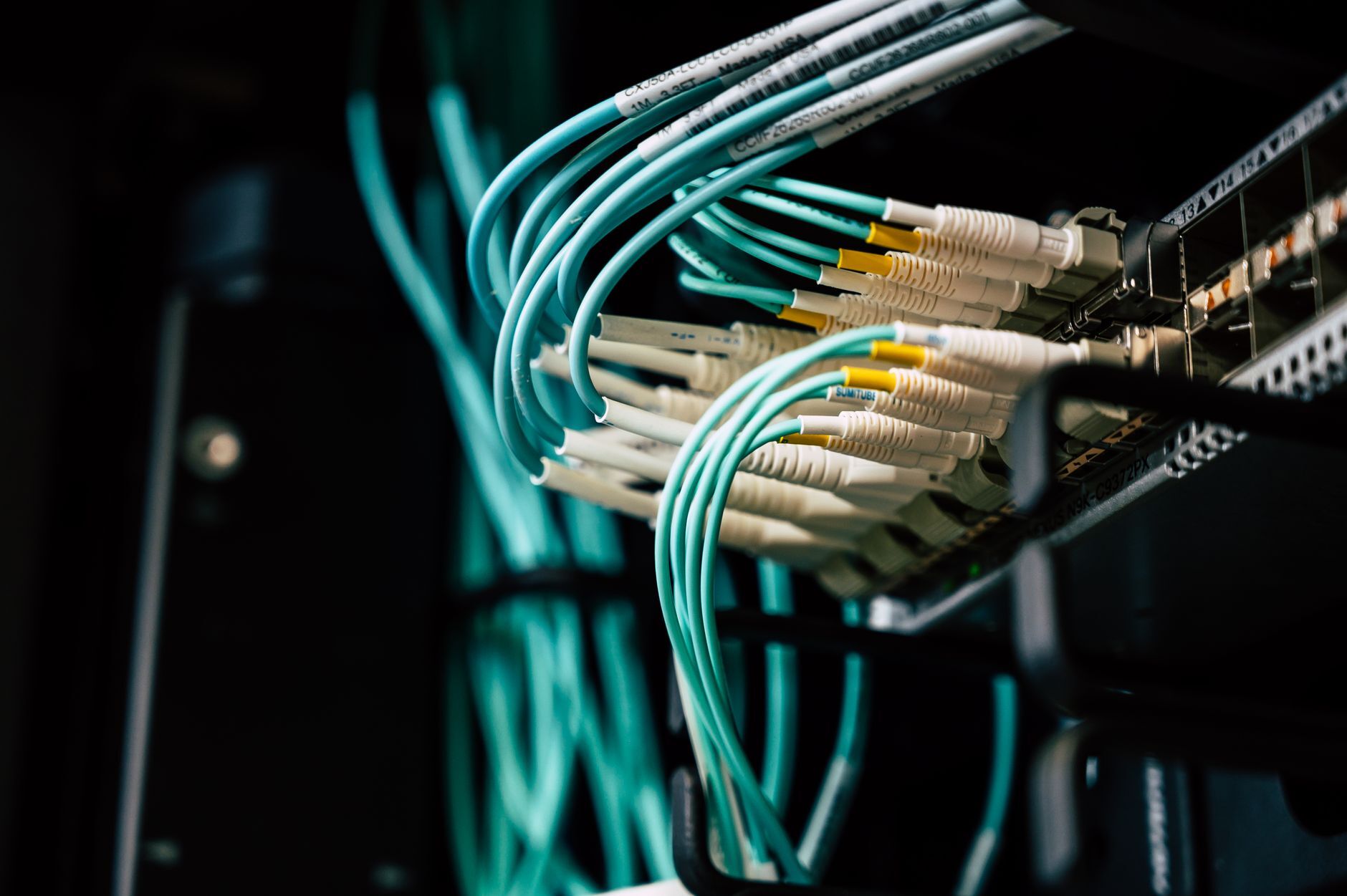
SOC 2 evidence collection on-prem works without APIs: auditors accept evidence collected by hand, by script, or by screenshot, provided it is complete, accurate, dated, and attributable, and collected as often as the control says it operates. For hypervisors, firewalls, switches, storage arrays, and servers patched by hand, that means scripted exports, configuration snapshots, CIS benchmark manual checks, and an evidence calendar with a named owner for every item.
At a glance
- What the auditor tests: completeness and accuracy of the information the company produces (IPE), whatever the collection method
- What the criteria require: the AICPA Trust Services Criteria name no tools, APIs, agents, or SIEMs
- Main evidence methods without an API: scripted exports, configuration backups, timestamped screenshots, CIS benchmark manual checks
- Hardening references: CIS publishes benchmarks for VMware ESXi, pfSense, FortiGate, Palo Alto, Cisco ASA, and other appliances
- Evidence calendar: collection frequency follows each control's stated frequency, from continuous logs to annual reviews
- Every evidence item needs: a date, a source system, the person or account that pulled it, and an unaltered original
Why GRC platform integrations miss on-prem systems with no API
GRC platforms collect most of their evidence through cloud and SaaS APIs, so a hypervisor in a rack, a firewall appliance, a storage array, or a Linux server patched over SSH produces nothing the platform can read. The platform still stores the evidence and tracks the control; someone has to produce the evidence first.
On-prem teams tend to hit this in three places:
- Hypervisors and firewalls where installing an agent creates more risk than it removes. One on-prem client had CIS benchmarks in place for workstations and servers and asked what to do for the hypervisors and firewalls, since putting an agent on either would cause problems.
- Switches and storage arrays that offer only a web console or a vendor CLI, with no integration in the GRC platform's catalog.
- Servers patched by hand with no record beyond the engineer's memory.
The GRC compliance guide for on-prem and hybrid environments covers the inventory-first approach to automating compliance tests across a whole environment. Devices with no API or agent still need individual evidence artifacts, and those artifacts are what the auditor samples.
What makes SOC 2 evidence acceptable to an auditor?
SOC 2 evidence is acceptable when the auditor can rely on it as complete and accurate. The AICPA SOC 2 guide calls reports, exports, logs, and screenshots that the company generates information produced by the entity (IPE), and auditors evaluate how each item was produced, including the system, the query or parameters, and any manual handling. The Linford & Co. summary of IPE procedures describes the testing in practical terms.
For manual or scripted on-prem evidence, four properties carry most of the weight:
| SOC 2 evidence property | What it means on-prem | How to show it |
| Complete | The full output, with no edits or filtering the auditor cannot see | Raw export saved as-is; any filtering done in a second, separately named file; the command or query recorded alongside |
| Accurate | The output comes from the real system and reflects its real state | Output generated directly on the device, with the hostname, IP, or serial number in the output or filename |
| Dated | The auditor can place the evidence inside the audit period and match it to the control's frequency | System timestamp in the output itself, plus the file date in the evidence repository |
| Attributable | A named person or service account produced it | Script log with the running account, or the collector's name in the procedure record |
Key insight
A SOC 2 screenshot passes when the clock, hostname, and filter are visible
A screenshot that crops out the system clock, the hostname, or the list filter fails the dated and accuracy tests; the full window with all three visible passes.
SOC 2 evidence table for on-prem systems with no API
The table below maps common SOC 2 control areas to on-prem systems that have no usable API, with an evidence method, cadence, and owner for each. Cadences are examples; the policy sets the real ones, and the evidence has to match the policy.
| Control area | SOC 2 criterion | System with no API | Evidence method | Example cadence | Owner |
| Configuration baseline | CC7.1 | VMware ESXi, Proxmox, Hyper-V hosts | CIS benchmark check results (automated items scripted, manual items recorded on a checklist) plus host version output | Quarterly | Infrastructure lead |
| Firewall configuration | CC6.6, CC7.1 | pfSense, FortiGate | Dated configuration backup file plus rule review sign-off | Monthly backup, quarterly review | Network owner |
| Firewall and switch changes | CC8.1 | pfSense, FortiGate, managed switches | Change ticket linked to before and after configuration backups | Per change | Network owner |
| Switch and storage configuration | CC7.1 | Managed switches, storage arrays | Running configuration export and admin account list from the device CLI or console | Quarterly | Infrastructure lead |
| User access | CC6.1, CC6.2 | Hypervisor local accounts, firewall and switch admin accounts, Linux and Windows servers | Exported user and admin lists, reviewed and signed | Quarterly | System owner plus reviewer |
| Vulnerability scanning | CC7.1 | Servers and management interfaces | Scan reports, plus manual version check records for devices a scanner cannot assess | Per the vulnerability management policy | Security or IT lead |
| Patching | CC7.1, CC8.1 | Servers and appliances patched by hand | Patch log, change ticket, before and after version output | Per patch cycle | System owner |
| Monitoring | CC7.2 | Firewalls, hypervisors, servers | Log forwarding configuration, alert rules, documented log review | Continuous logging, weekly review | Security or IT lead |
How to script SOC 2 evidence exports from on-prem systems
Scripted exports are the most reliable SOC 2 evidence for on-prem systems because the script fixes the command, the timestamp, and the output format every time. A scheduled job runs the export, writes the raw output to a dated folder in an evidence repository with restricted write access, and logs the account that ran it.
Typical exports, using commands documented by each vendor:
- VMware ESXi:
esxcli system version getfor the build, andesxcli software vib listfor installed packages, from the esxcli command reference. - Proxmox VE:
pveversion -vfor package versions, plus the host OS package list. - Linux servers:
dpkg -lon Debian and Ubuntu,rpm -qaon RHEL-family systems, plus the local account list from/etc/passwdand the members of admin groups. - Windows servers and Hyper-V hosts: PowerShell
Get-HotFixfor installed updates, plus local and domain admin group membership. - pfSense: the
config.xmlbackup, exported through the GUI or the Netgate backup options, which contains the full rule set and admin accounts. - FortiGate: the full configuration backup file from the appliance.
- Managed switches and storage arrays: the running configuration and the local admin account list, pulled over SSH from the vendor CLI or exported from the management console.
A simple folder structure makes sampling fast: evidence/2026-Q4/firewall/fw01/2026-10-07_config.xml. When the auditor picks a sample date, the matching file is one path away. The SOC 2 on bare metal service builds these collectors as part of an engagement; the method works the same with in-house scripts.
How to harden hypervisors and firewalls with CIS benchmark manual checks
CIS benchmarks give hypervisors and firewalls a hardening standard that needs no agent. CIS publishes benchmarks for VMware ESXi, pfSense, FortiGate, and other appliances. Proxmox and Hyper-V have no dedicated CIS benchmark; the closest reference is the CIS benchmark for the host operating system (Debian for Proxmox, Windows Server for Hyper-V).
CIS labels each recommendation Automated or Manual. A Manual recommendation needs a person or local site knowledge to judge pass or fail, and CIS states it is no less important than an Automated one. For agentless devices, the manual checks become the evidence.
One on-prem client whose hypervisors and firewalls could not take an agent used four steps:
- Pick the benchmark version that matches the device version and record it in the configuration standard.
- Turn the manual checks into a checklist with one row per recommendation: result, date, who checked, and a screenshot or command output where the check produces one.
- Apply the recommendations gradually, starting with management access (admin accounts, management interface exposure, logging) and working through the rest by risk. Record each deviation with a reason and an approver.
- Repeat the checklist on a schedule (quarterly is common) and after major upgrades, and file each completed checklist in the evidence repository.
Watch out
SOC 2 tests the configuration standard the company wrote, and a CIS benchmark is one input to it
The SOC 2 CC7.1 points of focus include using defined configuration standards for hardening systems and monitoring infrastructure and software for noncompliance with those standards. The company decides which recommendations it adopts; the auditor tests whether the company follows what it wrote down.
How often to collect SOC 2 evidence for on-prem systems: the evidence calendar
SOC 2 evidence for on-prem systems is collected as often as each control says it operates. The control description and the policy state the frequency, and the evidence calendar turns those frequencies into due dates. A monthly control in a 12-month Type 2 period needs twelve dated artifacts; a missing month is an exception the auditor reports. Auditors generally size their samples by frequency, pulling more items for daily and weekly controls than for quarterly or annual ones.
| Control frequency | On-prem evidence examples | How it is collected |
| Continuous or daily | Logs forwarded from firewalls, hypervisors, and servers; nightly configuration backups | Log forwarding and scheduled jobs; the job success record is the evidence that collection ran |
| Weekly | Documented log and alert review; backup job status review | Reviewer signs a dated record in the ticketing system or GRC platform |
| Monthly | Firewall configuration backup with a diff against the prior month; patch cycle records | Scheduled export plus a ticket per patch cycle |
| Quarterly | Admin access reviews for hypervisors, firewalls, switches, and servers; firewall rule review; CIS checklist rerun | Exported account lists and checklists, signed by the reviewer |
| Annual | Configuration standard review, risk assessment, backup restore test, manual firmware checks on low-risk devices | Dated report or checklist with the approver named |
| Per event | Change tickets, new admin accounts, account removals at offboarding, out-of-cycle patches | Ticket linked to before and after output from the device |
A GRC platform can hold the calendar and send reminders for evidence it cannot collect itself, so the due dates live in one place with the controls they support.
Who owns each piece of on-prem SOC 2 evidence?
Each on-prem SOC 2 evidence item needs a named owner and a written procedure, because manual evidence stops the week its owner goes on vacation. The procedure states what to collect, the command or screen, where to file it, and the due date from the evidence calendar, and a backup owner covers absences.
SOC 2 vulnerability scanning evidence for on-prem systems
SOC 2 vulnerability scanning evidence for on-prem systems is the set of scan reports, remediation tickets, and manual version check records that match the cadence in the vulnerability management policy. The CC7.1 points of focus in the AICPA Trust Services Criteria call for scans on a periodic basis and after significant changes, with no fixed cadence. The SOC 2 vulnerability scanning guide for on-prem servers covers scanning tiers, tools, and cadence.
SOC 2 evidence for patching done by hand
SOC 2 evidence for patching done by hand is a change ticket with the approver, before and after version output from the device, and a patch log entry with the date and the person who applied it, plus an exception record for any patch deferred past the policy deadline. The before and after output comes from the same scripted commands as the regular exports. The SOC 2 patch management guide for on-prem servers and network devices covers tooling, maintenance windows, firmware, and compensating controls.
How to show SOC 2 monitoring on-prem with centralized logging
SOC 2 CC7.2 requires monitoring system components for anomalies and analyzing them to determine whether they represent security events. For on-prem systems, the evidence is the syslog or log-forwarding configuration on each firewall, hypervisor, and server, the alert rules on the central log store, and a dated record of each log review with the reviewer's name. The SOC 2 CC7.2 monitoring guide covers the criterion and its points of focus. The SOC 2 logging and SIEM guide for bare metal servers covers log scope, retention, and tooling choices.
Practical steps to build SOC 2 evidence collection for on-prem systems
- Inventory every in-scope system and mark which ones a GRC platform or agent covers and which need manual or scripted evidence.
- Write the configuration standard for hypervisors and firewalls, naming the CIS benchmark version and any deviations.
- Build the evidence calendar from each control's stated frequency, with a due date for every evidence item.
- Script the exports listed above and schedule them to a dated, write-restricted evidence folder.
- Build the manual checklists for CIS manual checks, user access reviews, and rule reviews.
- Assign an owner and a backup for every evidence item.
- Run a mock sample before the audit window opens: pick three dates and confirm the evidence for each is there.
Scoping decides which of these systems are in the audit at all. The guide to SOC 2 scoping and the system description for hybrid and on-prem infrastructure covers that decision, and the guide to SOC 2 on a neocloud covers what changes for evidence and shared responsibility when infrastructure moves off a hyperscaler.
SOC 2 evidence collection on-prem comes down to a procedure and a calendar
Every on-prem system with no API needs a procedure that says what to collect, a calendar that says when, and a person who does it. Companies that pass cleanly are the ones whose evidence repository matches their policy on any date the auditor picks.
On-prem SOC 2 evidence, built to last
Evidence collection, CIS hardening, and an evidence calendar as part of an effective security program.
Frequently Asked Questions
How do we produce SOC 2 evidence for systems that have no API?
Use scripted exports, configuration backups, timestamped screenshots, and manual checklists, each tied to a written procedure and a named owner. Save the raw output to a dated, write-restricted evidence folder with the hostname and collection date in the file. Auditors test whether evidence is complete, accurate, and on cadence, whatever the collection method.
What makes SOC 2 evidence acceptable to an auditor?
SOC 2 evidence is acceptable when the auditor can rely on it. Auditors treat company-generated exports, logs, reports, and screenshots as information produced by the entity, and check that each item is complete, accurate, dated inside the audit period, and attributable to the system and the person or service account that produced it.
How often should we collect SOC 2 evidence for on-prem systems?
As often as each control's stated frequency. Logs and configuration backups are collected continuously or daily, log reviews weekly, firewall backups and patch records monthly, access and rule reviews quarterly, and risk assessments and restore tests annually. A monthly control in a 12-month Type 2 period needs twelve dated artifacts.
How do we harden hypervisors and firewalls when we cannot install an agent on them?
Use the CIS benchmark for the device. CIS publishes benchmarks for VMware ESXi, pfSense, FortiGate, and other appliances, and labels some recommendations Manual. Turn those into a dated checklist, apply recommendations gradually starting with management access, record deviations with an approver, and repeat the checklist quarterly and after major upgrades.
Where should we store SOC 2 evidence for on-prem systems?
Store it in one evidence repository with a dated folder per control and period, write access limited to the collection jobs and evidence owners, and changes logged. Keep raw exports unedited, name files with system and date, and retain them for the full audit period. A GRC platform can serve as the repository if it accepts uploads.
Ready to Start Your Compliance Journey?
Get a clear, actionable roadmap with our readiness assessment.
Contact Us
Sample SOC 2 Control List
Input your email to download the list.
About the Author

Former security architect for Bank of Canada and Payments Canada. 20+ years building compliance programs for critical infrastructure.