.svg)
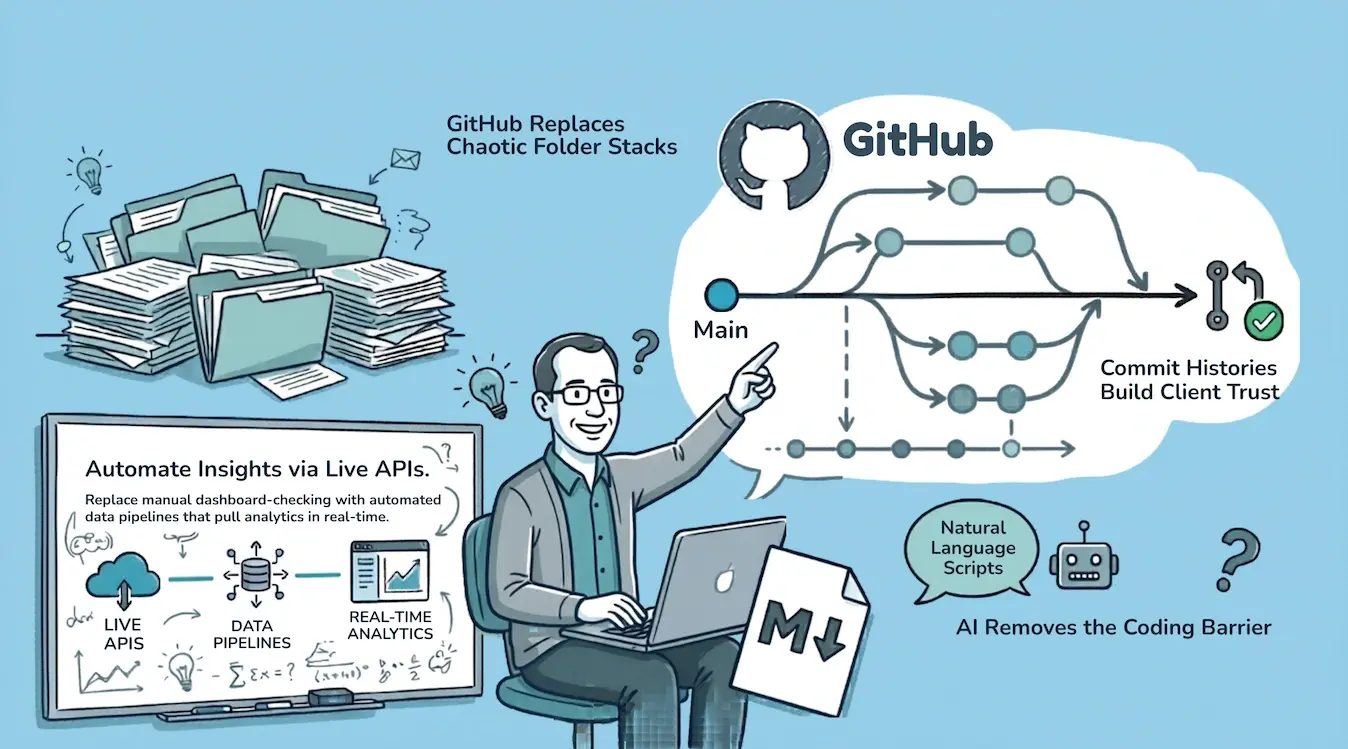
GRC engineering is a term that's been floating around the security community. It is talked baout at conference talks, community discussions, and the occasional LinkedIn post. The idea is straightforward: treat governance, risk, and compliance as an engineering discipline, not just an administrative one.
But most of the conversation stays abstract. "Apply engineering principles to GRC." Okay, but what does that actually look like on a Tuesday morning when you're managing compliance programs for multiple clients?
This is what GRC engineering looks like in our practice, day to day, with specific examples.
The Old Way
Before we talk about what changed, here's what "managing GRC" used to look like.
Log into Client A's GRC platform. Click through to the evidence tracker. Check which controls have evidence submitted. Note which ones are overdue. Switch to Client B's tenant. Repeat. Switch to Client C. Repeat again.
Open Lucidchart. Drag boxes around to update Client A's network diagram because they added a new server last week. Try to remember the color conventions. Spend 20 minutes making it look presentable.
Open Word. Find the latest version of Client B's risk assessment. It's called "Risk_Assessment_v4_final_AK_edits_FINAL.docx." Make edits. Save as v5. Email it.
Log into AWS console for Client C. Click through IAM, check permissions, cross-reference with the CIS benchmark PDF open in another tab. Screenshot the settings. Paste into a compliance evidence folder.
This is how most GRC work still gets done. It's manual, repetitive, error-prone, and doesn't scale.
Sound Familiar?
If your GRC workflow involves copying screenshots into folders, emailing Word documents with version numbers in the filename, or clicking through platform GUIs to check evidence status across clients, you're spending engineering hours on administrative tasks.
The Engineering Approach
GRC engineering means replacing clicks with code, GUIs with APIs, and manual processes with automated pipelines. Not because automation is cool, but because the manual approach breaks down at scale and leaves no audit trail worth trusting.
Here's what each of those looks like.
Evidence Monitoring Through APIs
Every GRC platform we use exposes an API. We pull evidence submission status daily into each client's GitHub repository through automated scripts.
Each client has their own isolated repo. The status data lands as structured text files. If anything changed since yesterday, I see the diff in GitHub. If I want to know what evidence was submitted for a specific control, I ask Claude to search the text files. Instant. No logging in, no navigating a GUI, no waiting for pages to render.
The GRC platforms still do the work. Evidence gets submitted there. Policies get managed there. Audit workflows run there. But the monitoring layer, the "where do things stand right now across all my clients," is completely off-platform.
When I refine control language for one client, say a tighter description of how access reviews work, I can audit that improvement against every other client repo in seconds. Not hours of clicking between tenants. Seconds. Improvements compound across the entire practice.
Why Off-Platform Monitoring Matters
GRC platforms are excellent for managing evidence and running audit workflows. But when you need a cross-client view, the platform becomes the bottleneck. Pulling status data into version-controlled repos gives you a single, searchable source of truth across every engagement.
Security Audits as Code
We used to rely on third-party scanning tools to audit client cloud environments. Some open source, some paid. Most written by someone else, potentially outdated, and I never fully understood what was happening under the hood.
Now we take read-only access to a client's cloud environment and run audits directly through cloud provider APIs.
The scope is flexible. "Run a CIS Benchmark Level 1 audit against this AWS account." Or more targeted: "Check IAM configurations against CIS controls 1.1 through 1.22." Or context-specific: "The client is worried about data residency, focus on storage and logging configurations."
The scripts live in version-controlled repositories. Credentials sit in GitHub Secrets, not on anyone's laptop. Every audit run has a timestamp and a commit hash. If a client or auditor wants to see exactly what was checked and when, it's all there.
Compare that to running a third-party tool where the methodology is a black box and the only output is a PDF report.
For clients, this means full transparency. They can see the exact scope that was checked, review the methodology, and verify the findings. If their auditor asks "how was this assessment conducted," the answer isn't a conversation, it's a commit log.
Architecture Diagrams From Code
Understanding client architecture is one of the first things we do on any engagement. Network diagrams, data flow diagrams, system architecture documents. These used to take hours of careful work in Lucidchart or Visio.
Now we generate them as code.
Data flow diagrams use Mermaid syntax. The output is nearly perfect. You describe the flow, Claude generates the Mermaid code, and you get a clean, accurate diagram. Minimal hand-editing required.
Network and system architecture diagrams use draw.io XML. Draw.io files are just XML under the hood, and Claude can generate and edit XML extremely well. We describe the architecture, reference a previous template, and Claude generates a new draw.io file.
We maintain color conventions for traffic risk:
- Red for inbound traffic (highest risk, before filtering)
- Yellow after the firewall or WAF
- Green for internal traffic from trusted sources
Claude nails these consistently. It gets the template right, applies the colors, and places components roughly where they should be.
Network diagrams still need manual finishing. The topology and layout require a human eye. But the tyranny of the blank page is gone. The first draft, the most intimidating part especially for junior team members, is generated in seconds. We take it to the finish line by hand.
Even after a diagram exists, we can edit the XML directly for minor changes: move a box, update a label, change a color. No opening the GUI and clicking around.
The whole stack is free. Draw.io is open source. Claude generates the XML. No Lucidchart subscription. No commercial tool with usage limits and feature gates. The only tradeoff is that draw.io's real-time collaboration isn't as polished. For a small team version-controlling files in GitHub, it's not a dealbreaker.
Policies and Documents in Markdown
Every internal document is written in markdown. Policies, procedures, meeting summaries, architecture notes, risk assessments, project plans.
Markdown gives just enough formatting to make documents readable without any of the overhead of .docx. It's perfectly consistent. It renders natively on GitHub. Every AI tool reads and writes it flawlessly. The files are tiny.
The only time we convert to Word is for final client deliverables. Clients expect polished .docx files, and that's fair. We write everything in markdown, and automated scripts convert to formatted Word documents with proper styling, headers, and page breaks. The content is written and reviewed in markdown. The .docx is just the packaging.
Policies as Code
Here's where it gets interesting. When policies live as markdown files in a GitHub repo, they become truly living documents.
Team members and clients can submit pull requests against policies, the same way developers submit pull requests against code. A change gets reviewed, discussed, and merged with full history.
More importantly: because policies are markdown files in a code repository, they're ingestible by any AI tool. Clients can audit their actual practices against what the policy says they should be doing. If there's a gap, they either adjust the practice or submit a pull request to update the policy. Either way, the disconnect between "what we say we do" and "what we actually do" gets caught and resolved continuously, not once a year before the audit.
The real unlock is that the policies live where the developers already live. GitHub is their natural habitat. They're in it every day pushing code. When the security policy sits right next to their codebase, it stops being a PDF nobody reads and becomes something they actually see and interact with. That's policy as code, for real.
Policy as Code in Practice
When policies are version-controlled markdown, every edit has an author, a timestamp, and a review trail. Auditors can verify not just what the policy says today, but every change that led to the current version. That's a stronger audit trail than any PDF with a "last reviewed" date stamp.
Access Control
GitHub makes access control trivial to manage and audit. Each client repo is isolated. Team members get added when they join an engagement and removed when it's done. If a client wants visibility into their own repo, we grant access.
No complex grouping. No inherited permissions from nested folders. No wondering who has access to what. The permissions audit takes ten seconds.
For a cybersecurity consulting firm, running operations on a platform with built-in access control and audit trails isn't just convenient. It's consistent with what we tell our clients to do.
What Clients Get From This
GRC engineering isn't just an internal efficiency play. It directly benefits the clients we serve.
Transparency they can verify. Every audit scope, every policy revision, every evidence check has a timestamp and an author. When a client wants to confirm what was done on their engagement, we don't rely on memory. We show them the repo.
Consistency they can trust. Templates, automation, and version-controlled workflows mean every client gets the same rigorous process. Nothing gets missed because someone forgot a step or was having an off day. The process is encoded, not memorized.
Faster turnaround, same depth. When evidence checks take minutes instead of hours and diagrams generate in seconds instead of being built from scratch, the time savings go back into the work that matters: understanding the client's environment, making judgment calls, solving real problems.
Continuity if people change. If a team member leaves mid-engagement, the next person picks up with full context. Every decision, document, and diagram is in the repo. No tribal knowledge gap. No scrambling to reconstruct what happened.
Cross-client improvements. When we find better control language for one client, we audit whether it applies to others. Tighter evidence workflows, cleaner policies, improved templates, they propagate. Every client benefits from the work done across the entire practice.
The Compound Effect
The real power of GRC engineering isn't any single automation. It's the compound effect of all of them running together.
When everything is code, everything is searchable. When everything is in GitHub, everything has history. When everything runs through APIs, everything connects.
A client asks "what evidence did we submit for CC6.1 last quarter?" I don't dig through a platform. I search the repo. Ten seconds.
We need to demonstrate internal due diligence on how we manage client engagements? The version history, access logs, and process automation are all there. Not as a report we prepared, but as the natural output of how we work.
A new team member joins a client engagement. They get access to the repo, read the markdown documents, and have full context in an hour. No tribal knowledge. No "ask Sarah, she knows how this client works."
The Audit Trail You Get for Free
When your operations run on version-controlled repos with API-driven automation, your audit trail isn't a separate deliverable. It's a byproduct of how you work. Every action is logged, every change is attributed, every decision is documented, automatically.
Getting Started
If you're doing GRC work and this resonates:
- Pick one workflow to automate. Evidence status checking is usually the highest-value starting point. Check if your GRC platform has an API.
- Move one document type to markdown. Policies are a good candidate. Simple formatting, frequently referenced, easy to version control.
- Try one audit as code. Take a CIS benchmark and run it against a test environment through the cloud provider's API instead of the console GUI.
- Set up one GitHub repo. Even if it just holds documents initially. The version control and access management pay for themselves immediately.
GRC engineering isn't a framework you adopt. It's a direction you move in. Every manual process you replace with an automated one makes the next automation easier.
GRC Engineering Starts Here
We build effective security programs that treat compliance as engineering.
Frequently Asked Questions
What is GRC engineering and how is it different from traditional GRC?
Traditional GRC relies on manual processes: clicking through platform GUIs, emailing Word documents, copying screenshots into evidence folders. GRC engineering applies the same principles software teams use, version control, APIs, automation, and code-based workflows, to governance, risk, and compliance work. The result is faster execution, better audit trails, and processes that scale across multiple clients or business units.
Can compliance evidence collection be fully automated through APIs?
Evidence collection can be significantly automated, but "fully" depends on the control. Technical controls like access reviews, configuration checks, and logging status can be pulled directly through cloud provider and GRC platform APIs. Controls that require human judgment, like risk assessments or policy approvals, still need a person. The goal isn't to remove humans from the process. It's to remove humans from the parts that don't require judgment.
What does "policy as code" mean in practice?
Policy as code means writing policies in markdown and storing them in a Git repository instead of Word documents on a shared drive. Changes are submitted as pull requests, reviewed by the appropriate people, and merged with full version history. Every edit has an author, a timestamp, and context. Clients and auditors can see exactly what changed, when, and why, without relying on a "last reviewed" date stamp on a PDF.
How does GRC engineering improve audit readiness?
When your workflows run on version-controlled repositories with API-driven automation, the audit trail is a natural byproduct of how you work. Evidence status is tracked in structured files with daily diffs. Audit scripts have commit hashes and timestamps. Policy changes have full review history. Instead of scrambling to compile evidence before an audit, you point the auditor to the repo. The work is already documented.
What tools do you need to start with GRC engineering?
The starting stack is simpler than you might expect: a GitHub account, API access to your GRC platform, and a scripting language you're comfortable with. Most GRC platforms, including Vanta, Drata, and Secureframe, expose REST APIs. Cloud providers like AWS, Azure, and GCP all have well-documented APIs for configuration audits. Draw.io is free and open source for diagrams. The barrier to entry is workflow design, not tooling cost.
This is part of the Consulting as Code series. If you want to see where your security program stands, try our free readiness scorecard. Takes 5 minutes. Email required for the full detailed breakdown.
More in this series:
Ready to Start Your Compliance Journey?
Get a clear, actionable roadmap with our readiness assessment.
About the Author

Former security architect for Bank of Canada and Payments Canada. 20+ years building compliance programs for critical infrastructure.
How Ready Are You for SOC 2?
Score your security program in under 5 minutes. Free.
Take the Scorecard